Engineering rules
Engineering Rules represent the highest level of network automation in Avalon. They enable deployments conditioned by advanced filters, ensuring that configurations are applied only to devices or interfaces that meet specific technical criteria.

Rule composition & service orchestration
An Engineering Rule groups one or more services to be executed in sequence.
Service selection & catalog
Avalon allows you to select from different types of services:
- Avalon templates & Custom services: Management services provided by Avalon (User creation, RADIUS configuration etc.) and your own Jinja2 templates enabled for engineering rules.
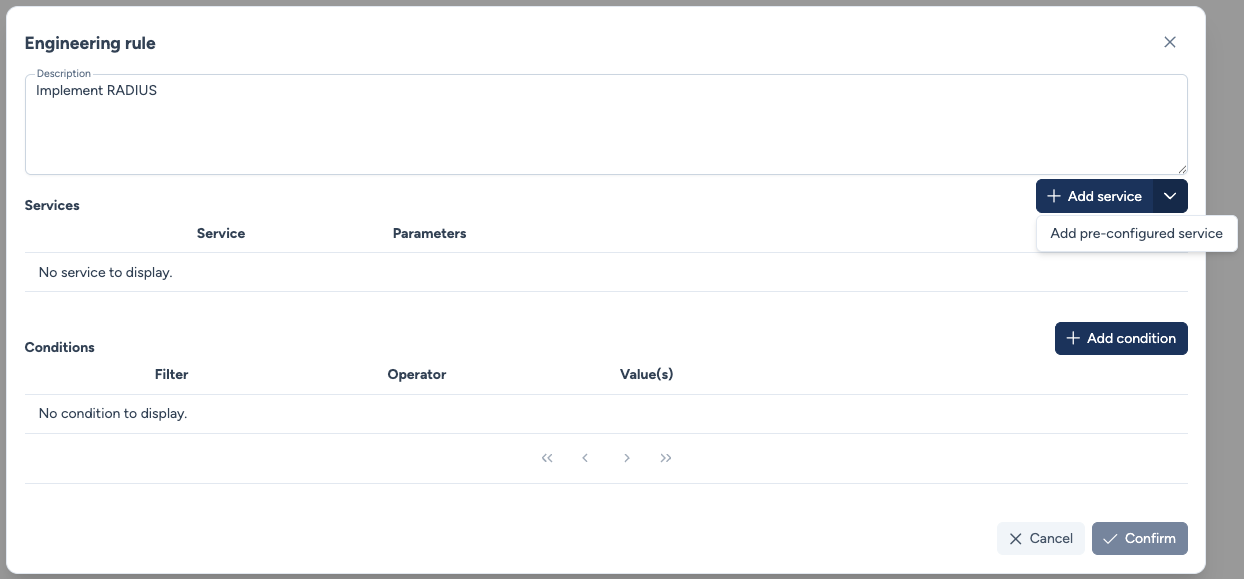
Both types of services are mixed in the same selection interface and accessible by clicking the + Add service button
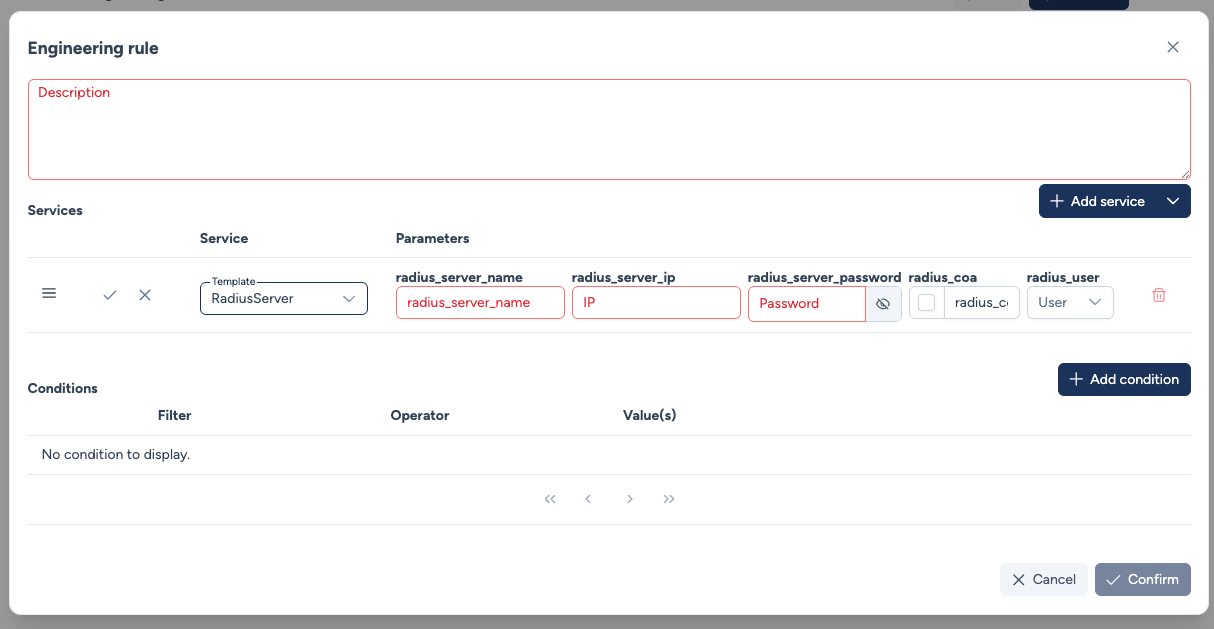
Native service provided by Avalon:
Custom service created by the user:
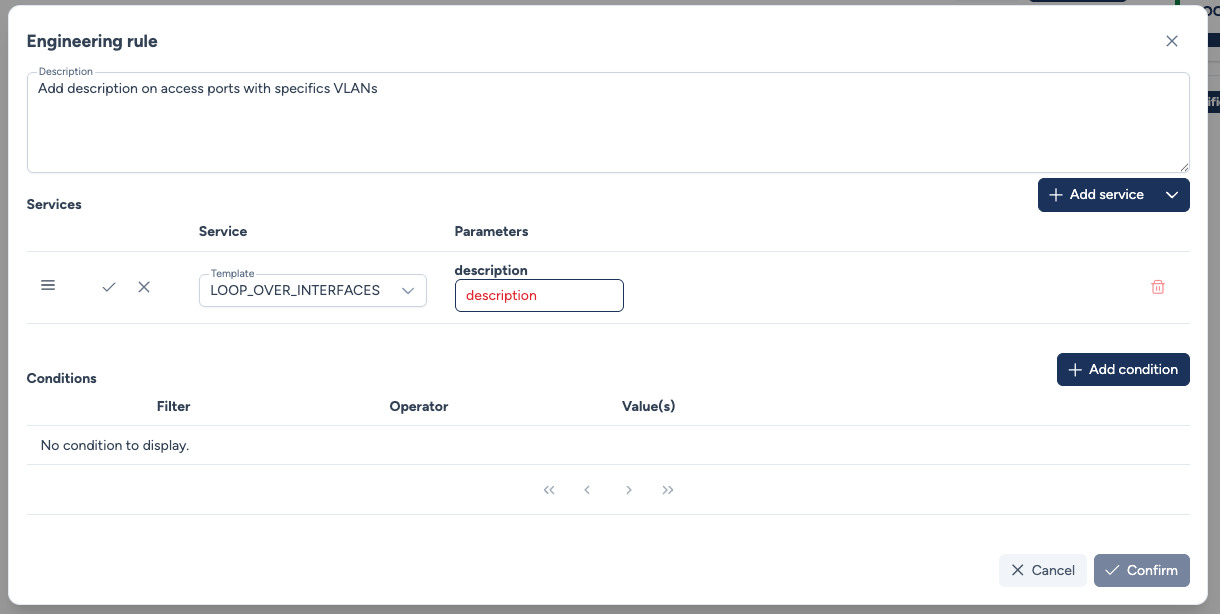
In both cases, the service parameters must be filled in this window.
Warning
This means that it is not possible to configure different values for the same parameter (except for Interfaces type parameters).
- Configured Services: Pre-configured services with predefined parameters.
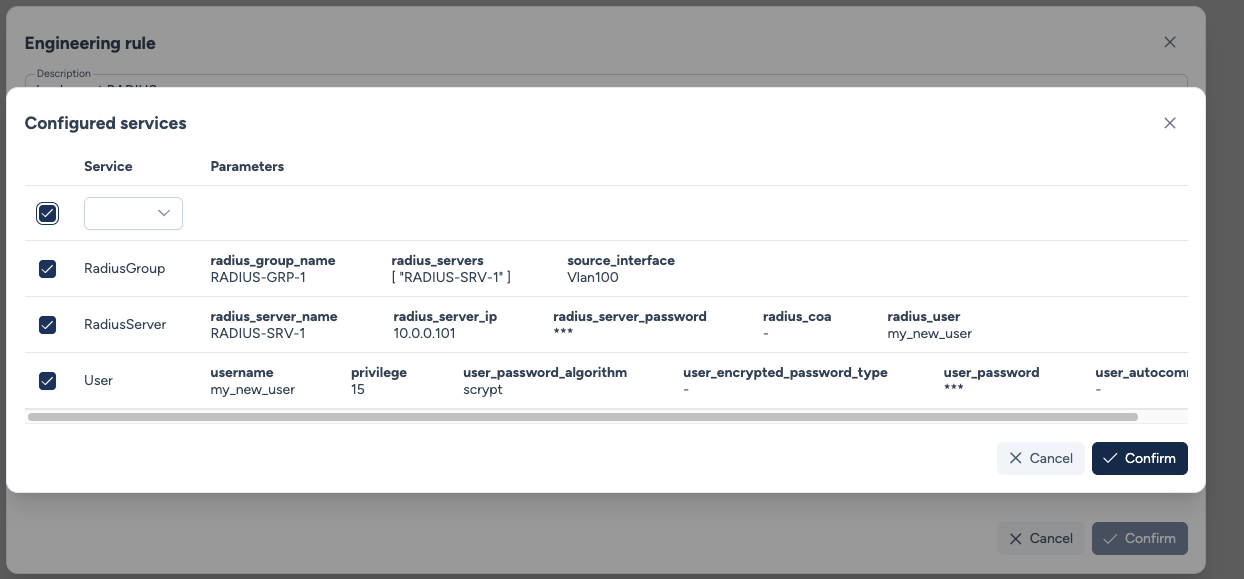
In this case, the parameters have already been filled when creating the global service instance.
Instantiation and Parameters
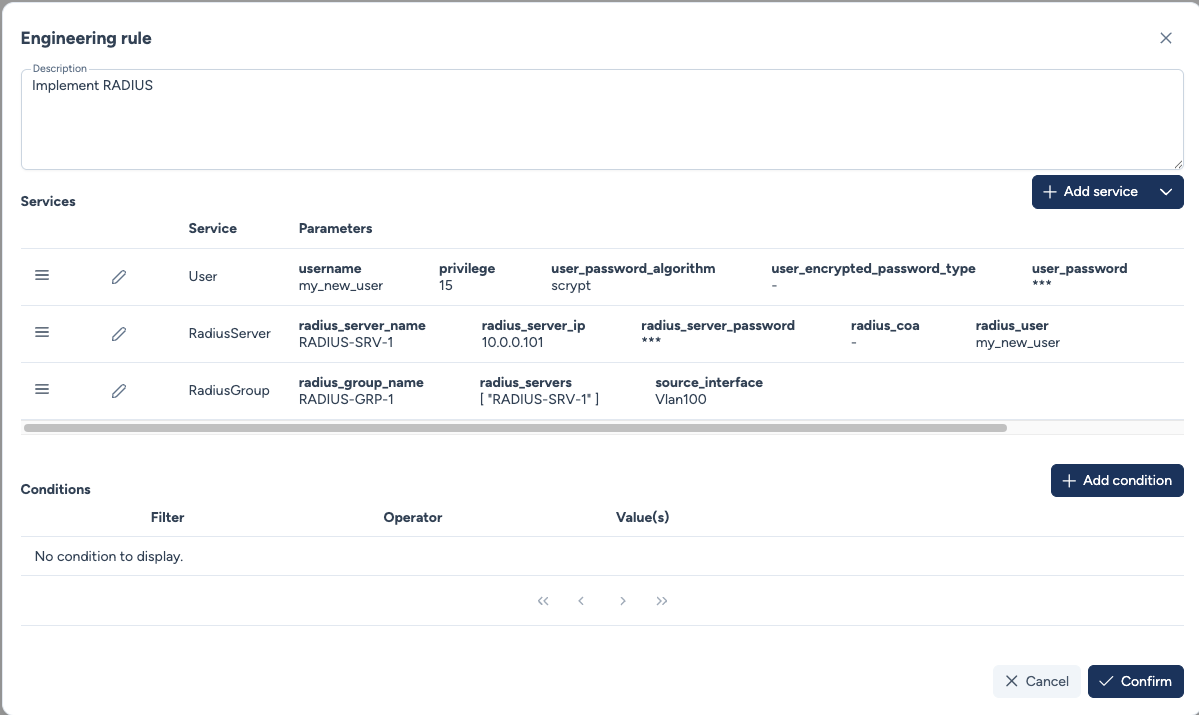
When you select a service, you must define its parameters. You can group multiple services within the same rule.
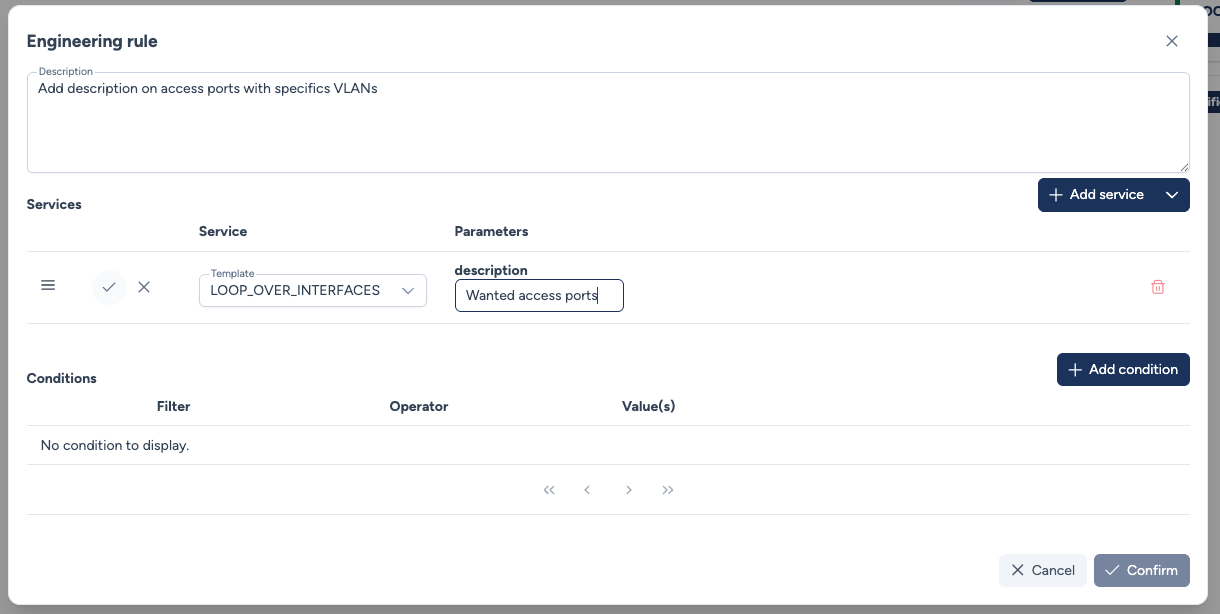
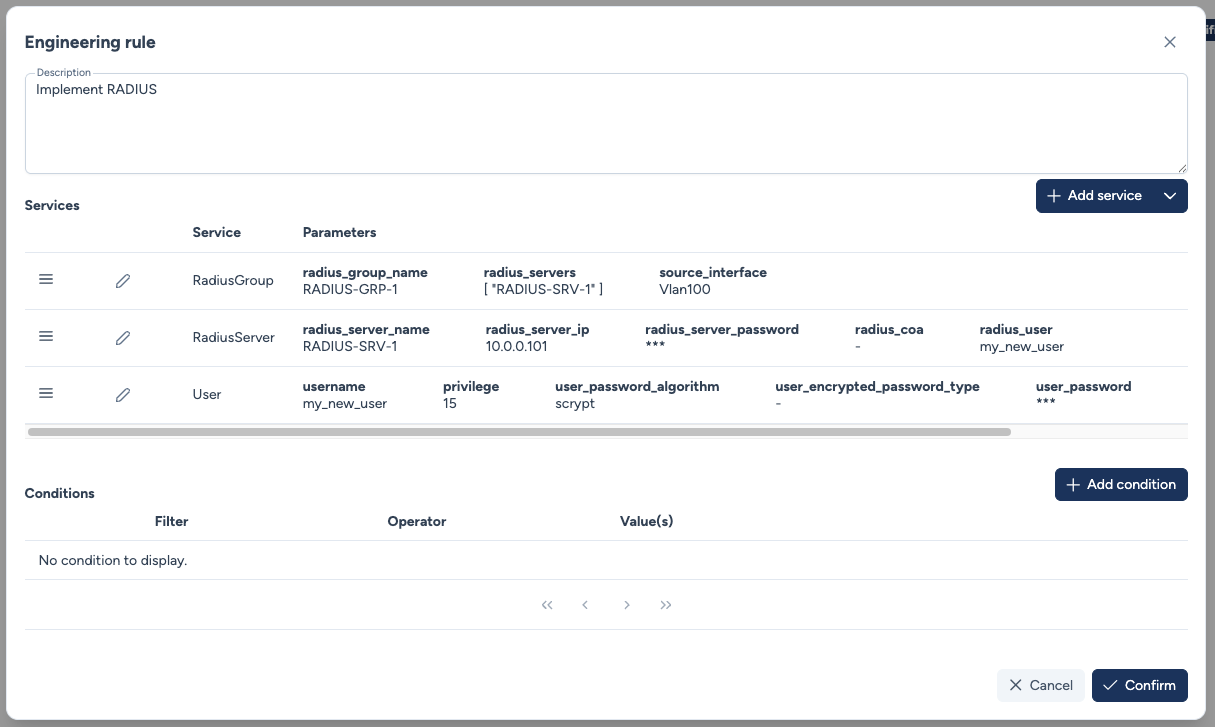
Service chaining (dependency injection)
An engineering rule can automatically inject service dependencies. For example, a RadiusGroup service can trigger the prior deployment of the required RadiusServer services. Dependencies are resolved and ordered automatically.
Multi-select Configured Services
Configured Service type parameters now support multi-select. This allows for example the selection of multiple RADIUS servers within a single rule.
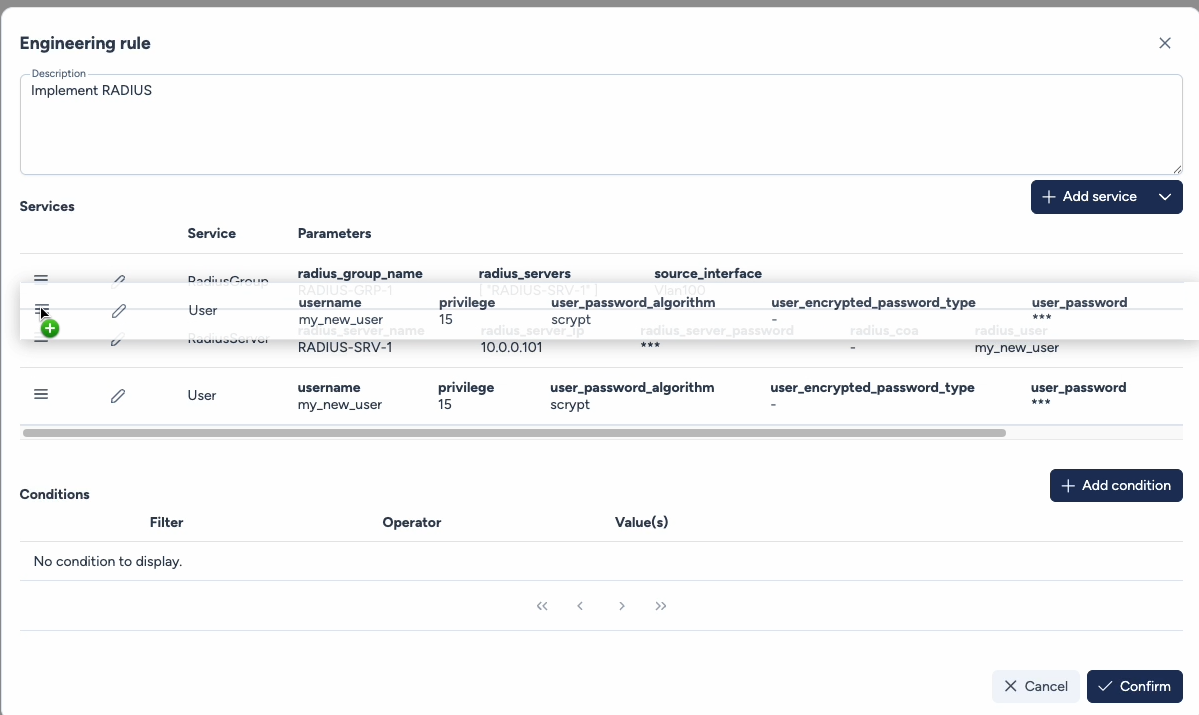
Drag & Drop
Services are executed top-down. You can reorder by dragging vertically to respect dependencies (e.g., create user before RADIUS assignment).
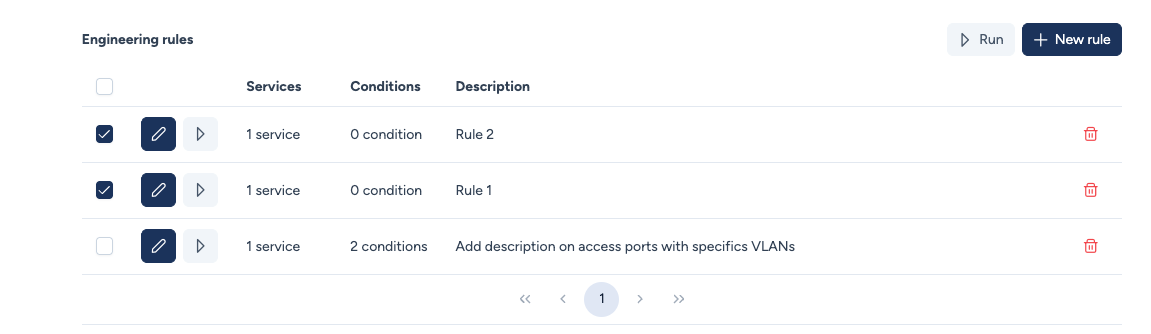
Multi-Rule Execution Priority
Avalon supports sequential execution of multiple rules. The order is vertical: the rule at the top executes first.
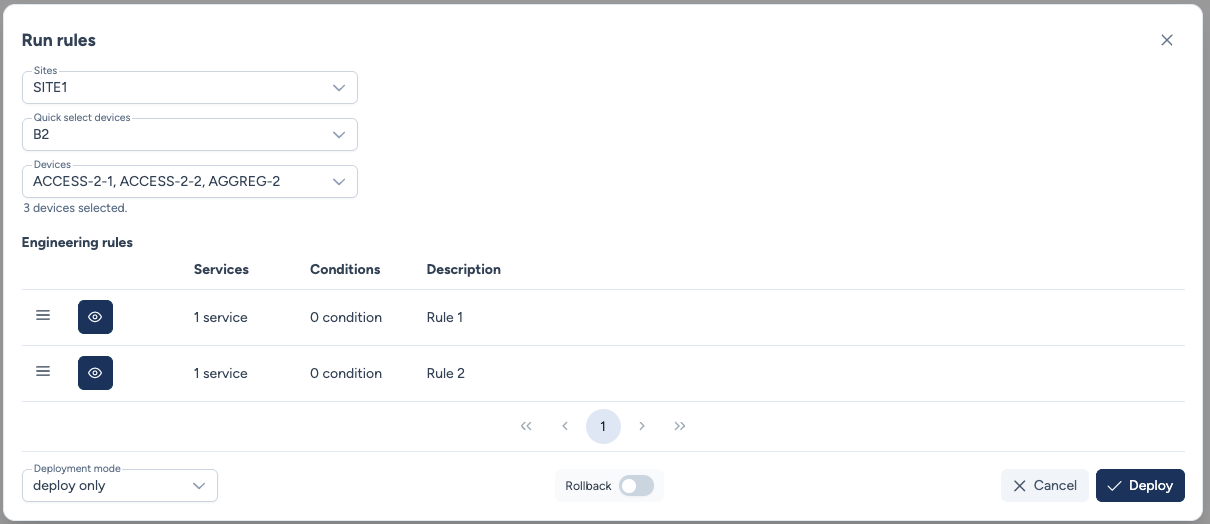
By clicking Run, you select the target site and deployment mode (Dry Run or Deploy). Device connections follow the credential resolution cascade.
Auto-resolved parameters
Some service parameters are automatically resolved by Avalon based on the rule's conditions, without manual intervention:
source_interface: Resolved from the rule's interface conditions. Displayed with a "From conditions" indicator in the service table. If the condition matches multiple interfaces on the same device, a warning is displayed.vrf_name: Automatically resolved from the source interface when no VRF condition is defined on the rule. Displayed with a "From interface" indicator in the service table.VLANs: AVLANs-type service parameter is filled from the rule's VLAN conditions. Displayed with a "From conditions" indicator, handy to apply a service to all the targeted VLANs.
These parameters appear as columns in the rule's service table, with visual indicators showing their origin (conditions vs interface). They are not manually editable.
The filtering engine
Conditions determine which device or interface will receive the configuration.
Database-Driven Logic
-
The filtering engine matches rules against the Avalon database, not against data retrieved in real-time.
-
It is important to schedule frequent Autodiscovery tasks to ensure the database accurately reflects the current network state.
Condition categories
Filters are organized into two categories:
- Device: Targets hardware-level attributes (device model, global VLANs).
- Interface: Targets port-specific attributes (interface name, type, configured VLAN).
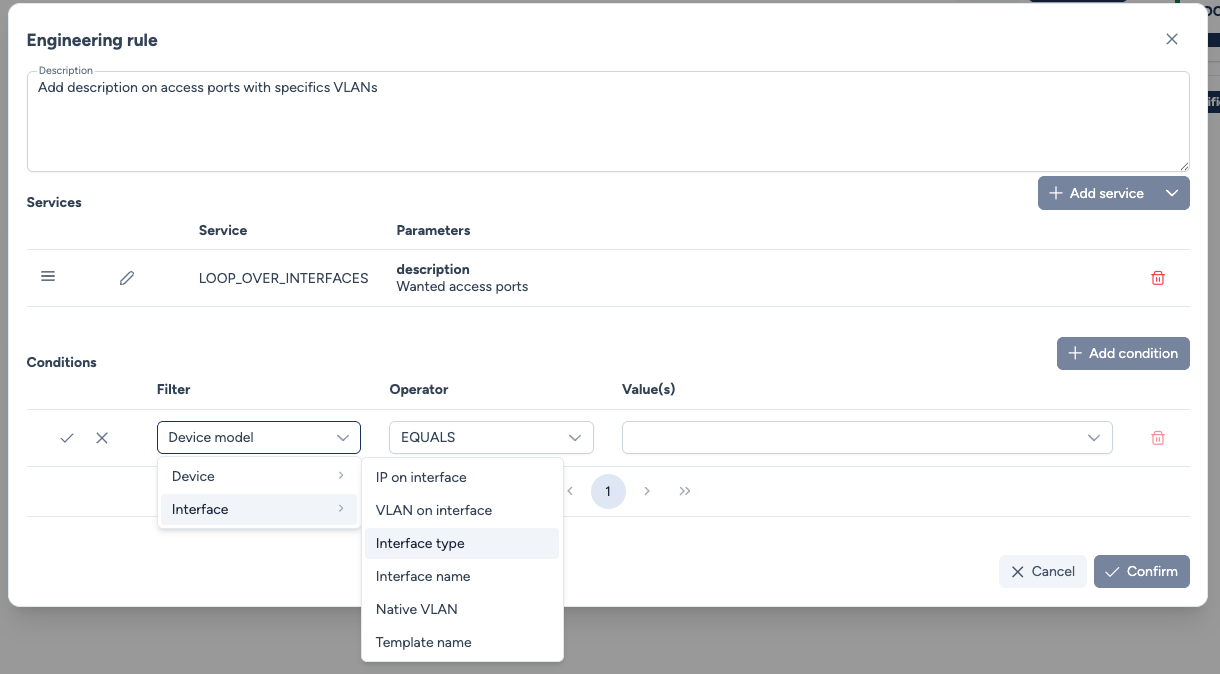
Available device-level filters:
- Device model - Filter based on the specific hardware model (e.g., Catalyst 9300, Nexus 9000)
- VLAN on device - Target devices that have a specific VLAN configured
Available interface-level filters:
- IP on interface - Match interfaces with specific IP addresses or subnets
- VLAN on interface - Target interfaces associated with specific VLANs
- Interface type - Filter by interface category:
l2_access- Layer 2 access portsl2_8021q- Layer 2 trunk ports (802.1Q)l3_main- Layer 3 routed interfacesl3_subif- Layer 3 sub-interfacessvi- Switch Virtual Interfaces (VLAN interfaces)
- Interface name - Match based on interface naming patterns (e.g., GigabitEthernet1/0/1)
- Native VLAN - Target trunk interfaces with a specific native VLAN
- Template name - Filter interfaces based on applied custom service templates
- Managed uplink - Target trunk ports connected to another managed switch that is upstream (toward the core) or on a horizontal link, excluding downlinks toward the access layer. Main use case: deploying DHCP snooping trust on the right ports.
Custom interface types
Additional interface types can be added to Avalon upon request to match your specific network architecture requirements.
Operator reference
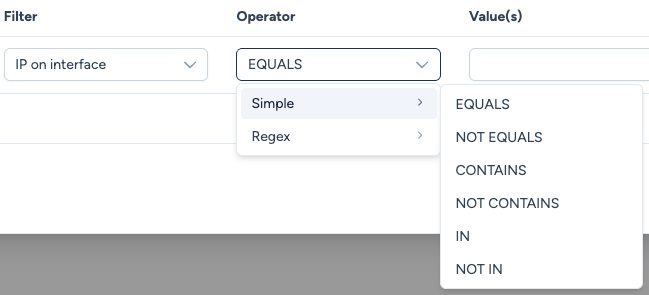
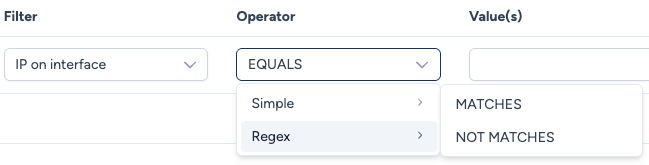
Each operator also exists in a NOT version (NOT EQUALS, NOT IN, NOT MATCHES...).
| Operator | Meaning |
|---|---|
EQUALS / NOT_EQUALS |
Equal / different (case-insensitive). |
CONTAINS / NOT_CONTAINS |
The found value includes / does not include what is specified (e.g., a trunk's VLANs include 10). |
IN / NOT_IN |
The found value belongs / does not belong to the provided list (e.g., an access port's VLAN is 10 or 20). |
MATCHES / NOT_MATCHES |
Matches / does not match a regular expression (e.g., an IP starting with 192.168.254 or 192.168.255 → 192.168.25[4,5]). |
Practical example: port description update
In this scenario, we update the description of all Access ports configured on VLAN 10 or 20 within Building B1.
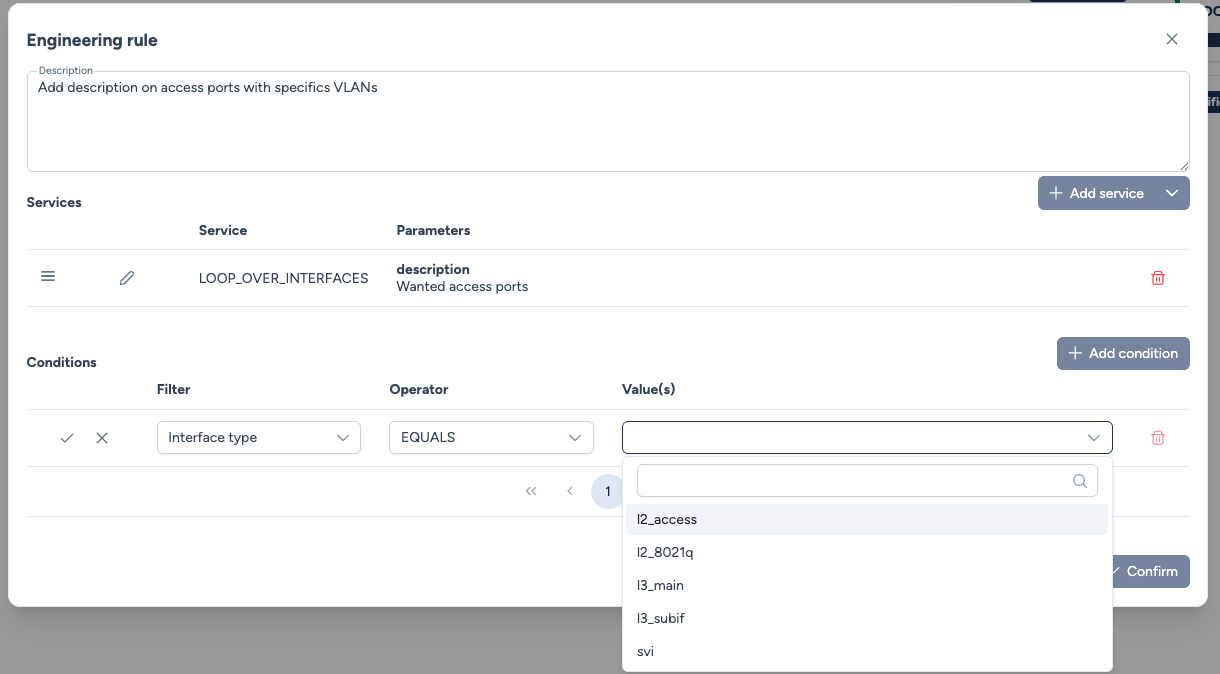
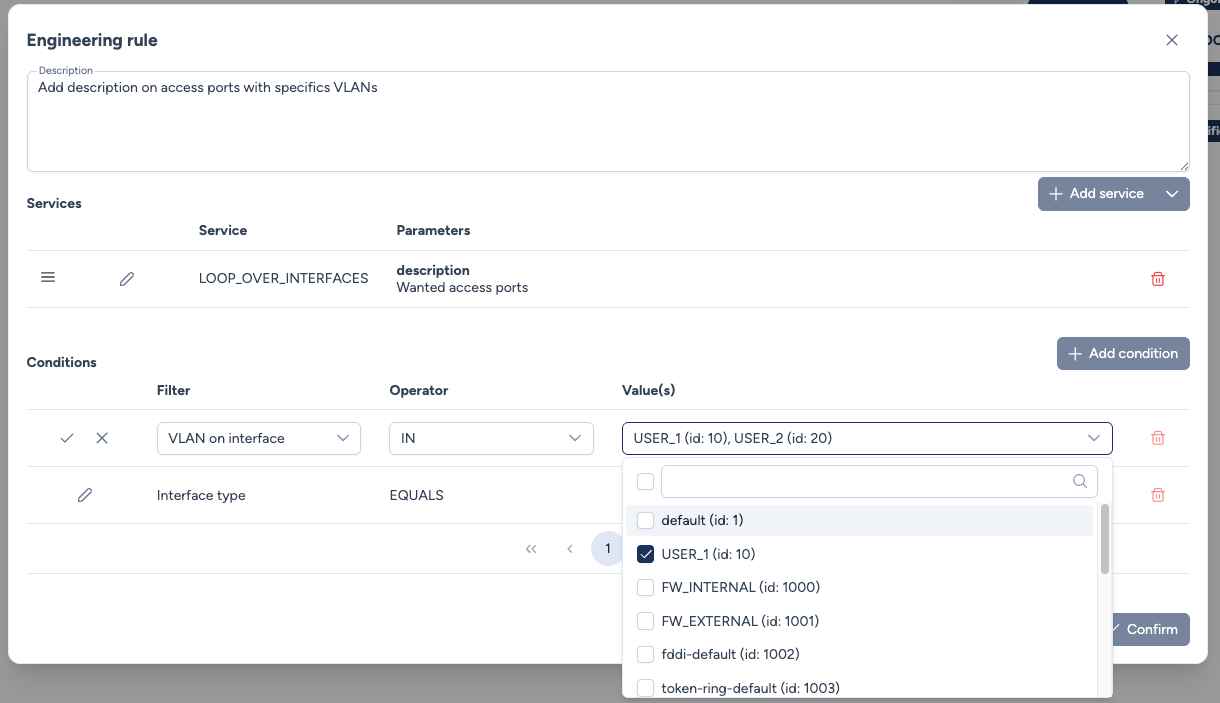
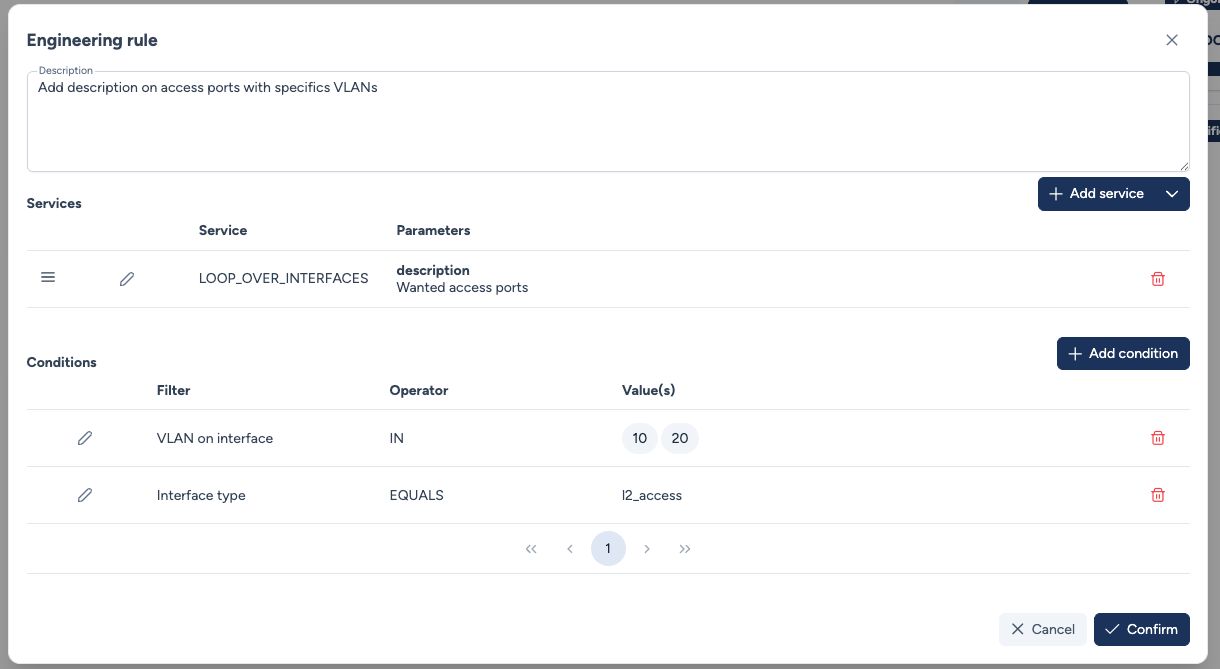
Step 1: Rule Configuration
The rule is defined with a service (LOOP_OVER_INTERFACES) and two matching conditions:
Interface type EQUALS l2_access.VLAN on interface IN [10, 20].
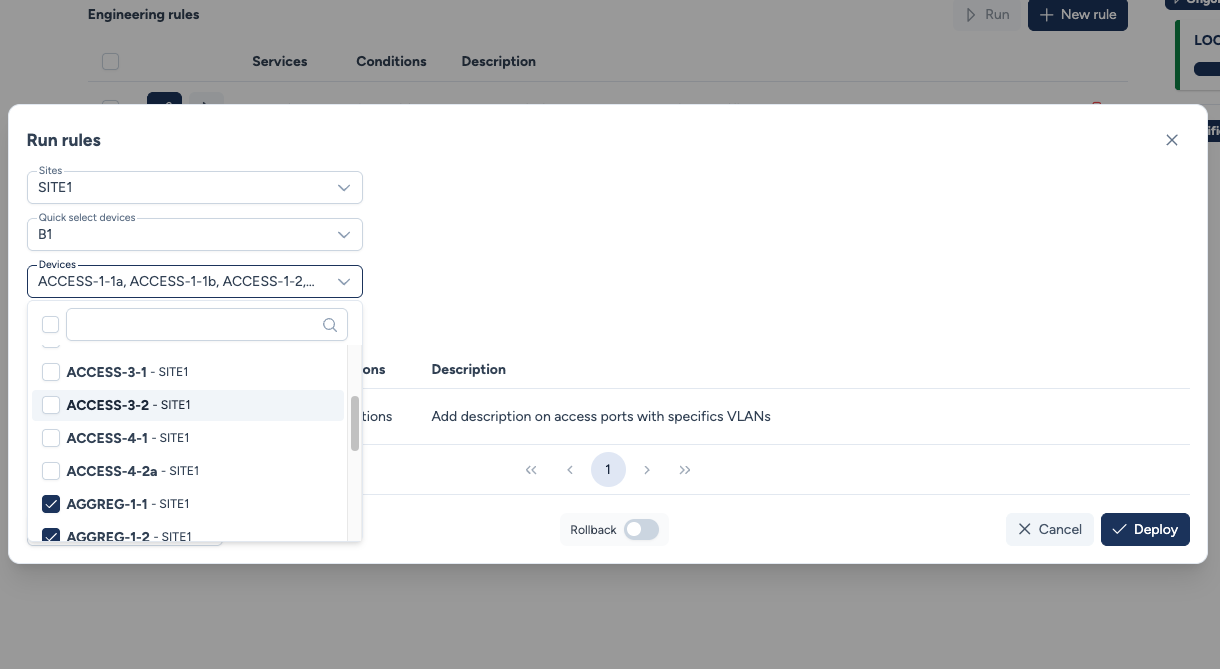
Step 2: Scope Selection
When triggering the rule, we select Building B1 which contains access and aggregation switches.
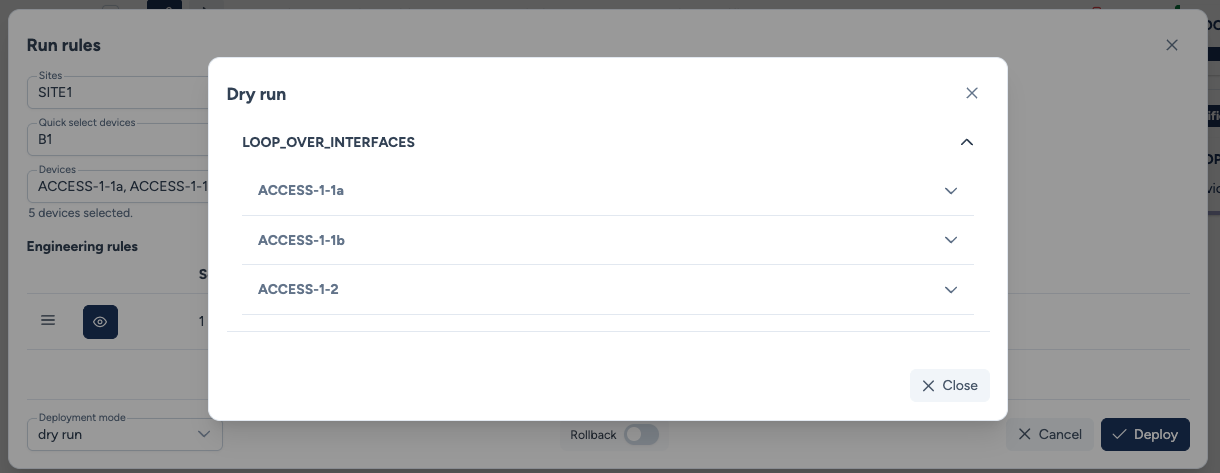
Step 3: Dry Run
While triggering a dry run, Avalon identifies that only ACCESS-1-1a, ACCESS-1-1b, and ACCESS-1-2 contain ports matching these criteria.
Let's examine the results for ACCESS-1-1a
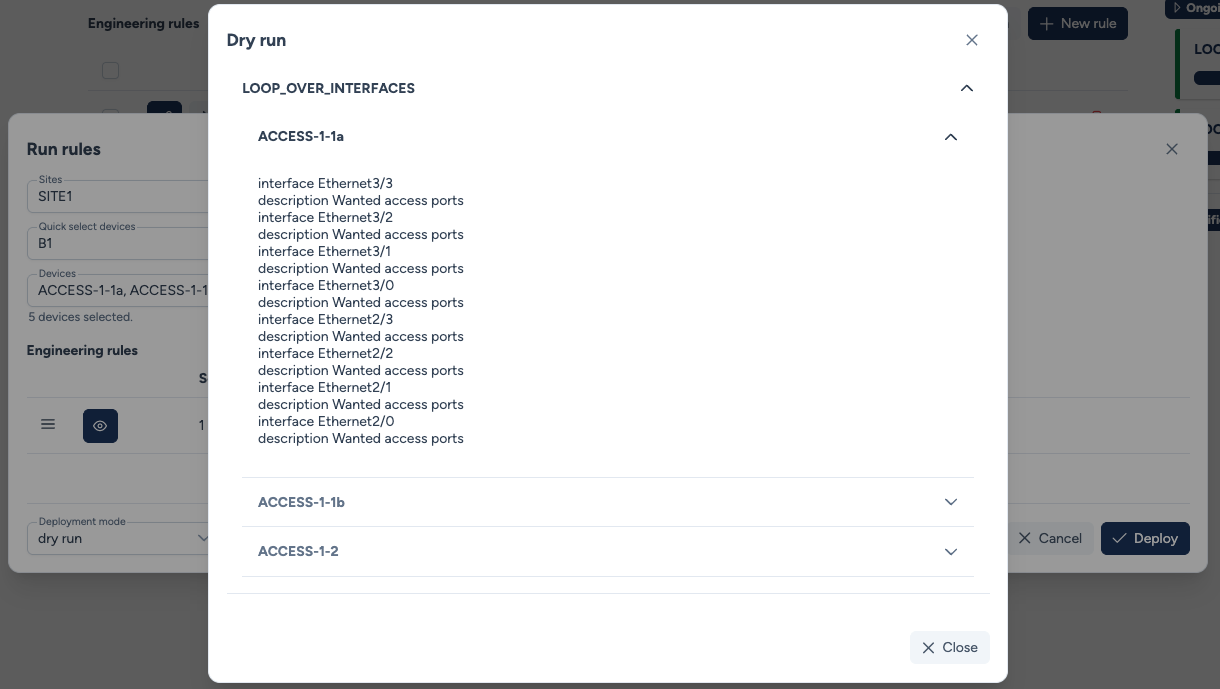
Step 4: Build confidence
Using WebSSH, we verify that the ports retrieved by the dry run match our rule:
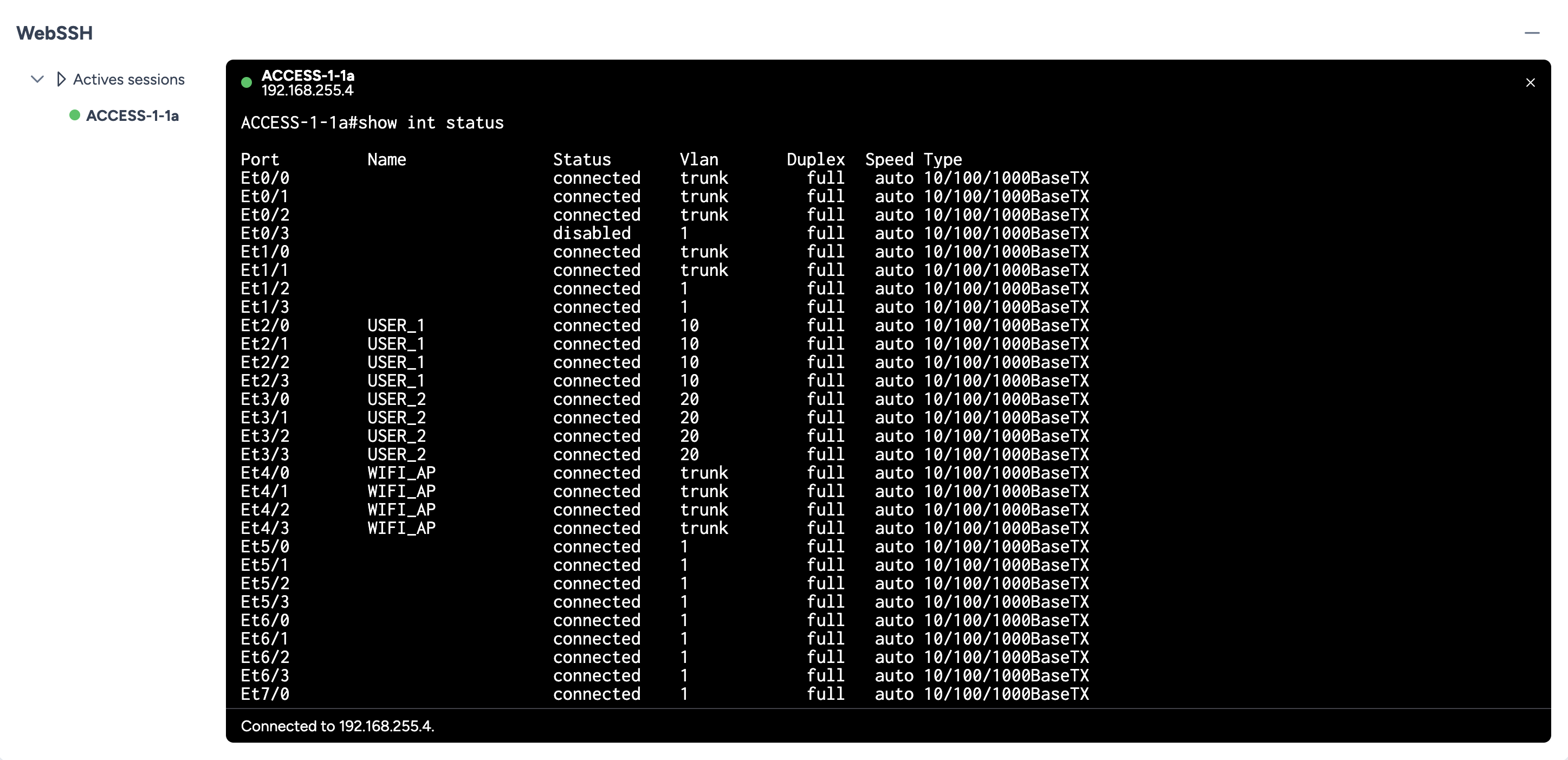
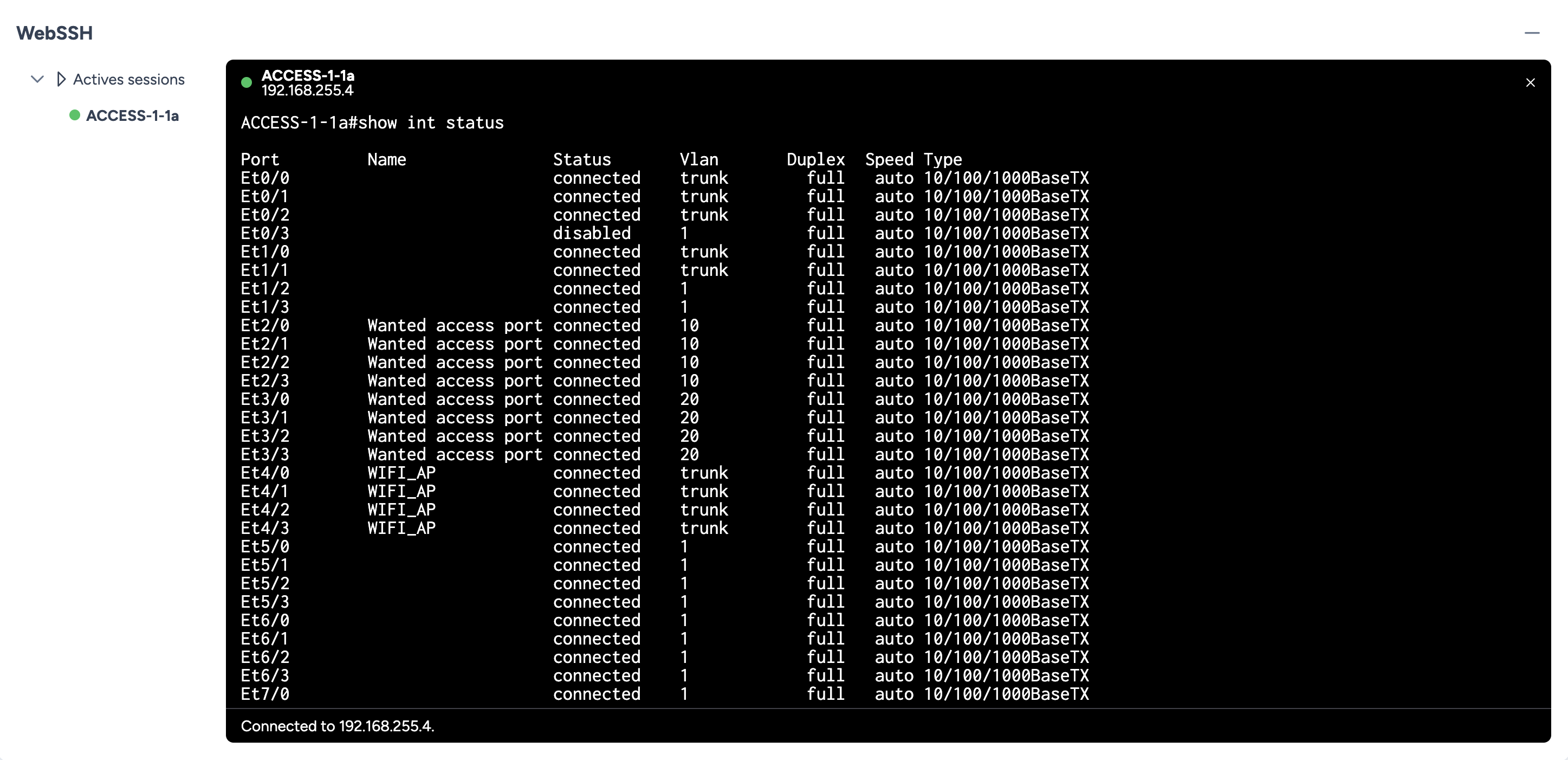
Step 5: Deployment and Final Verification
Once the service is deployed, a manual post-check via WebSSH confirms that the description has been correctly applied to the targeted interfaces. The complete audit trail for the execution is preserved in the Transaction History section.
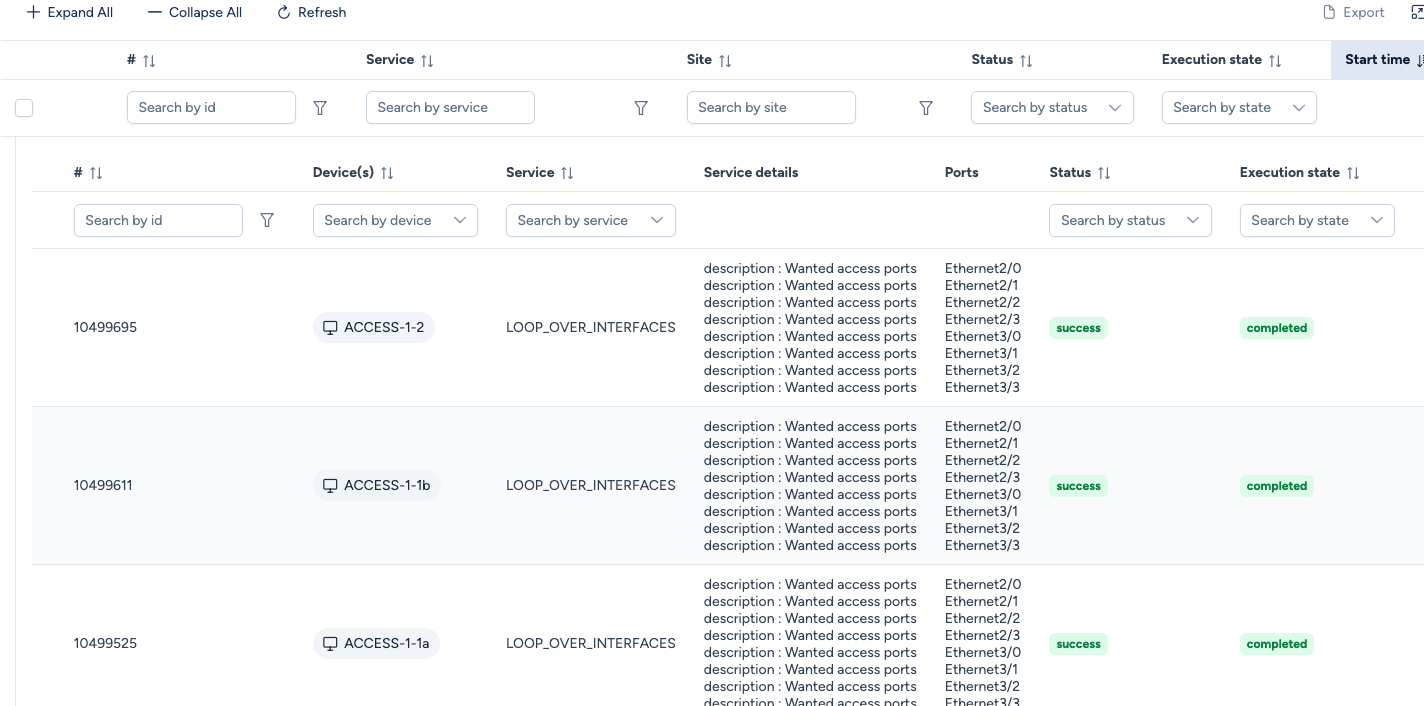
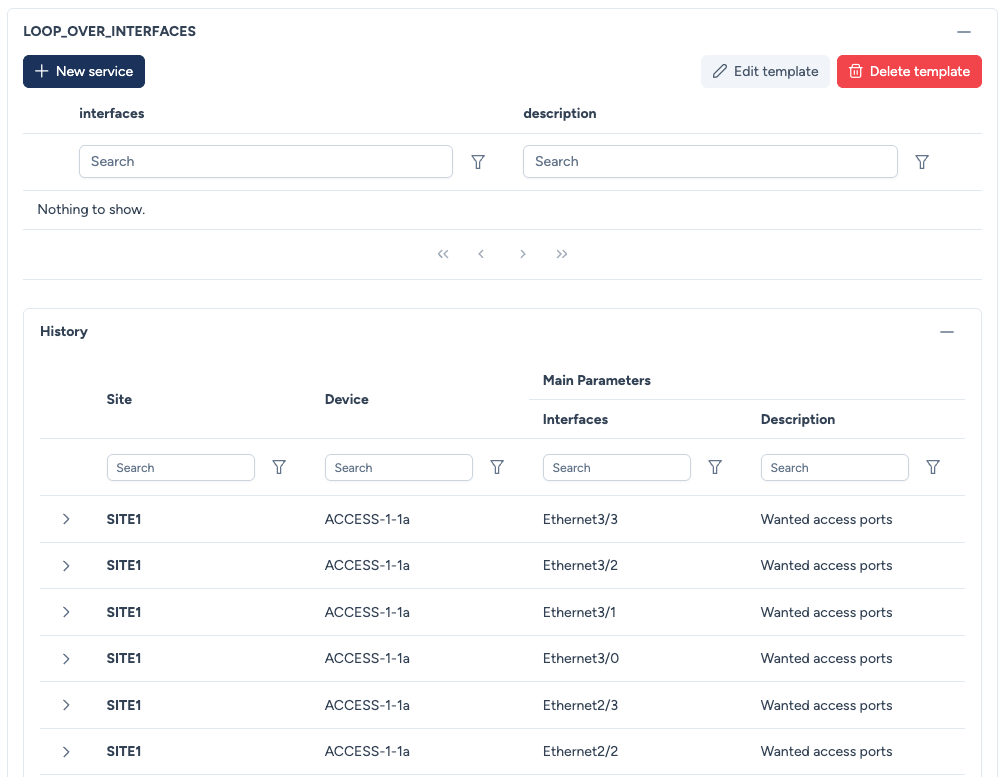
You can also check service deployment history in the approriate sub-section of the Inventory section.
In this example, we deployed a Custom Service so we need to navigate to Inventory / Network Services / Custom Services: