Configurations
The Configurations section serves as the centralized archive for all configuration backups generated by Avalon.
Whether triggered by a scheduled BackupConfiguration service or a manual snapshot, every file is stored and indexed here for easy retrieval.
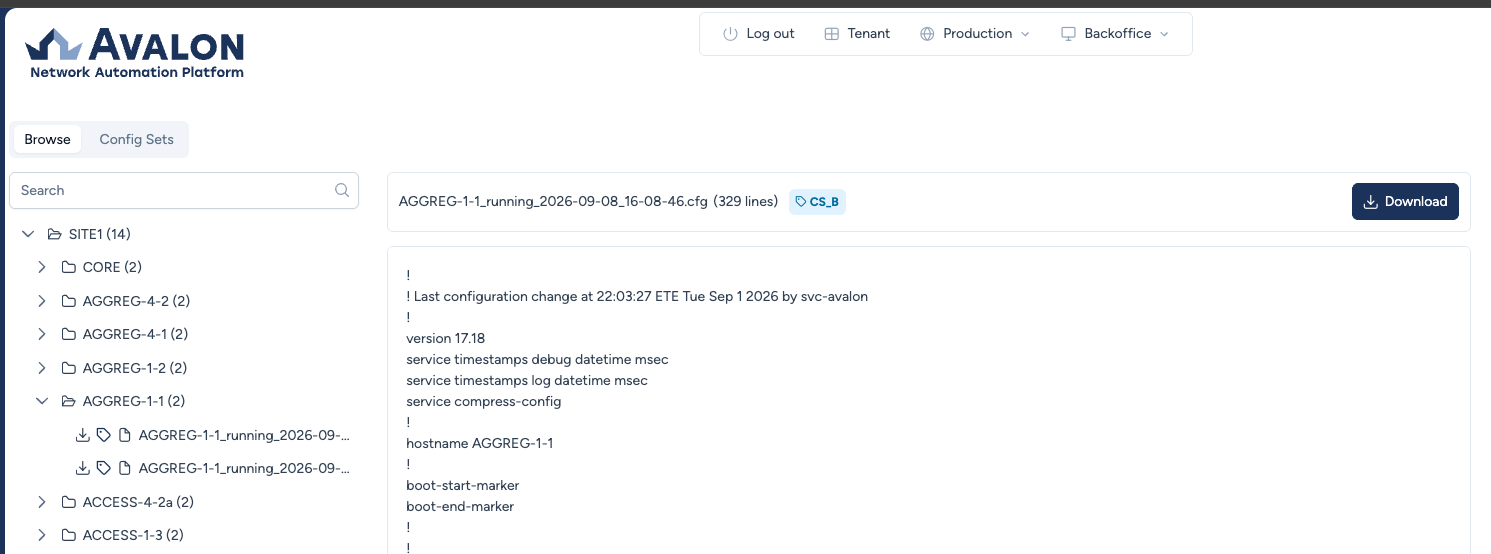
Browsing the Archive
The interface uses a hierarchical Tree View to organize files logically:
- Hierarchy:
Site Name>Device Name>Configuration Files. - File Naming: Files are automatically named using the pattern:
Hostname_Type_Timestamp.cfg(e.g.,AGGREG-1-2_running_2025-12-16...). - Search: You can use the search bar at the top to quickly find a specific device or file within the tree.
Preview and Download
Clicking on any file in the tree opens the Preview Pane on the right.
- Quick View: The content of the configuration is displayed directly in the browser, allowing for a quick check of the syntax or specific lines.
- Download: To save the file locally (for audit purposes or to restore it to a device manually), click the Download button in the top right corner.
Config Sets
A Config Set is a named collection of reference configurations, one per device. You build it by tagging backups that have already been captured, then replay it on a batch of devices to align them on that reference, without going through them one by one.
The typical use case is a fleet of access switches that must share the same base configuration, or bringing a batch of devices back to a known state after a series of changes.
One reference configuration per device
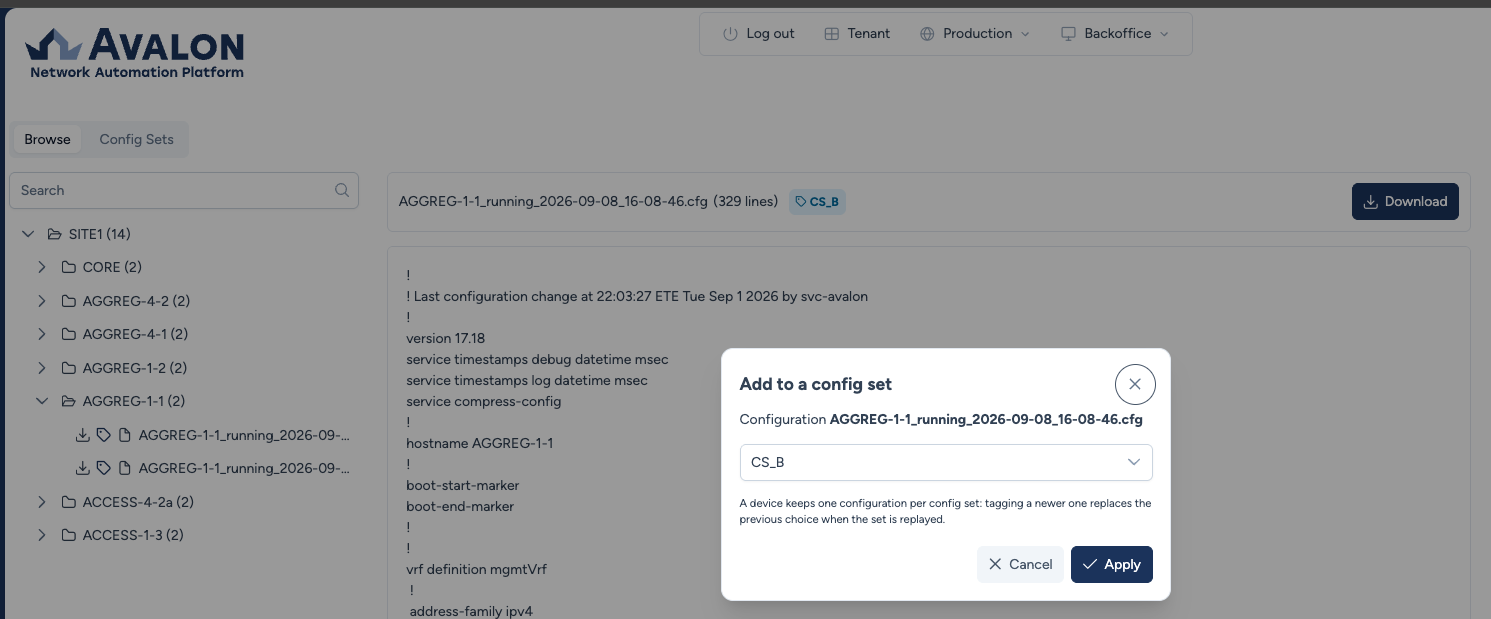
A set holds a single configuration per device. Tagging a new capture for a device already present in the set detaches the previous one. It is not deleted, it simply no longer belongs to the set.
Creating and managing a set
Production → Configurations → Config Sets tab.
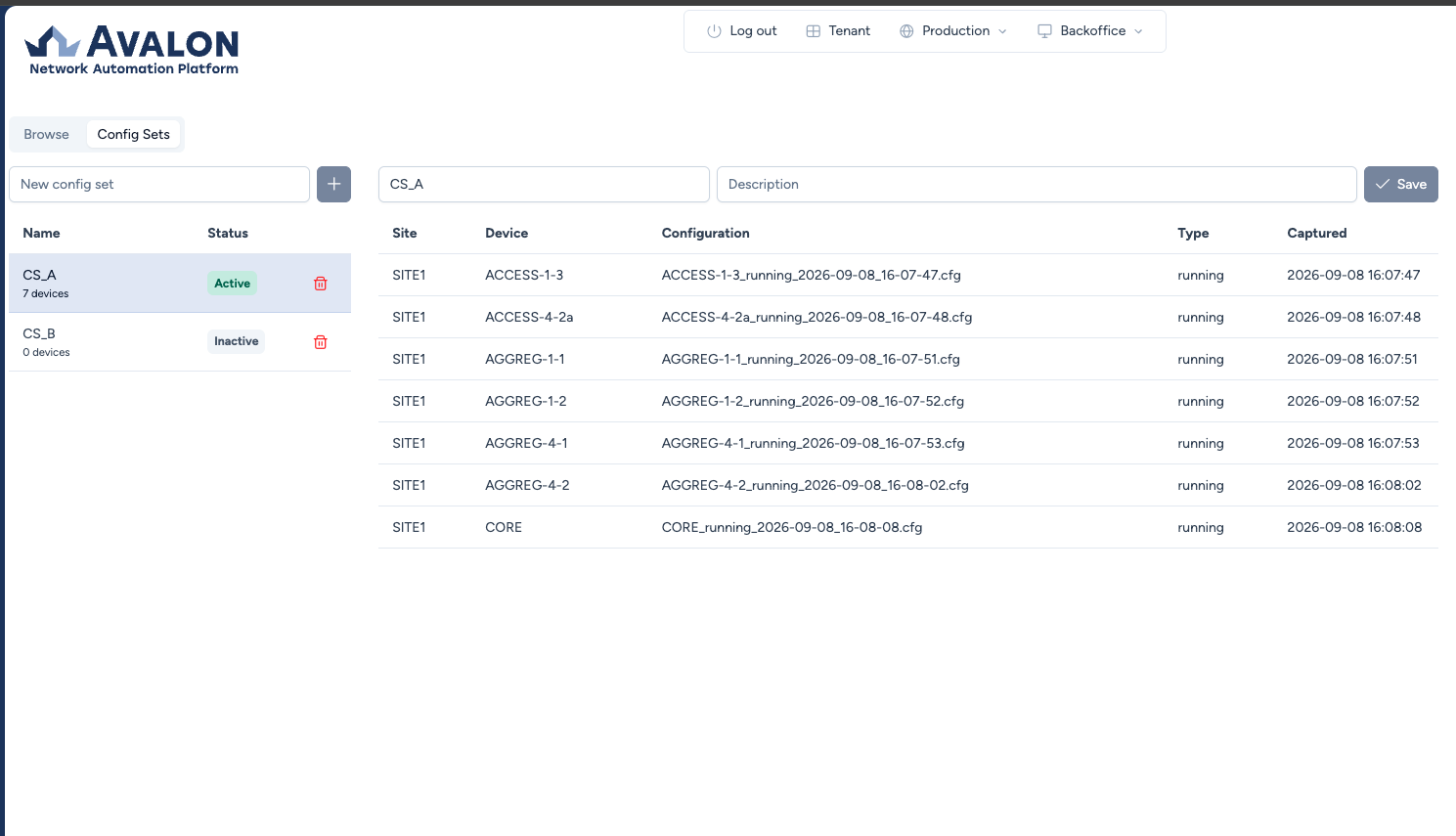
The New config set field at the top of the screen creates a set. The table lists the existing sets with their Name and Status.
Selecting a set gives you:
- its Name and Description fields, editable, with Save staying disabled until something changes;
- the list of its members, one row per tagged configuration, with the Site, the Device, the Configuration file name, its Type and its capture date (Captured);
- deletion of the set, which asks for confirmation.
Tagging a backup
Tagging is done from the Browse tab of the same screen, which presents backups by site then by device.
Every file carries a tag icon, and a configuration already attached shows the name of its set next to its title.
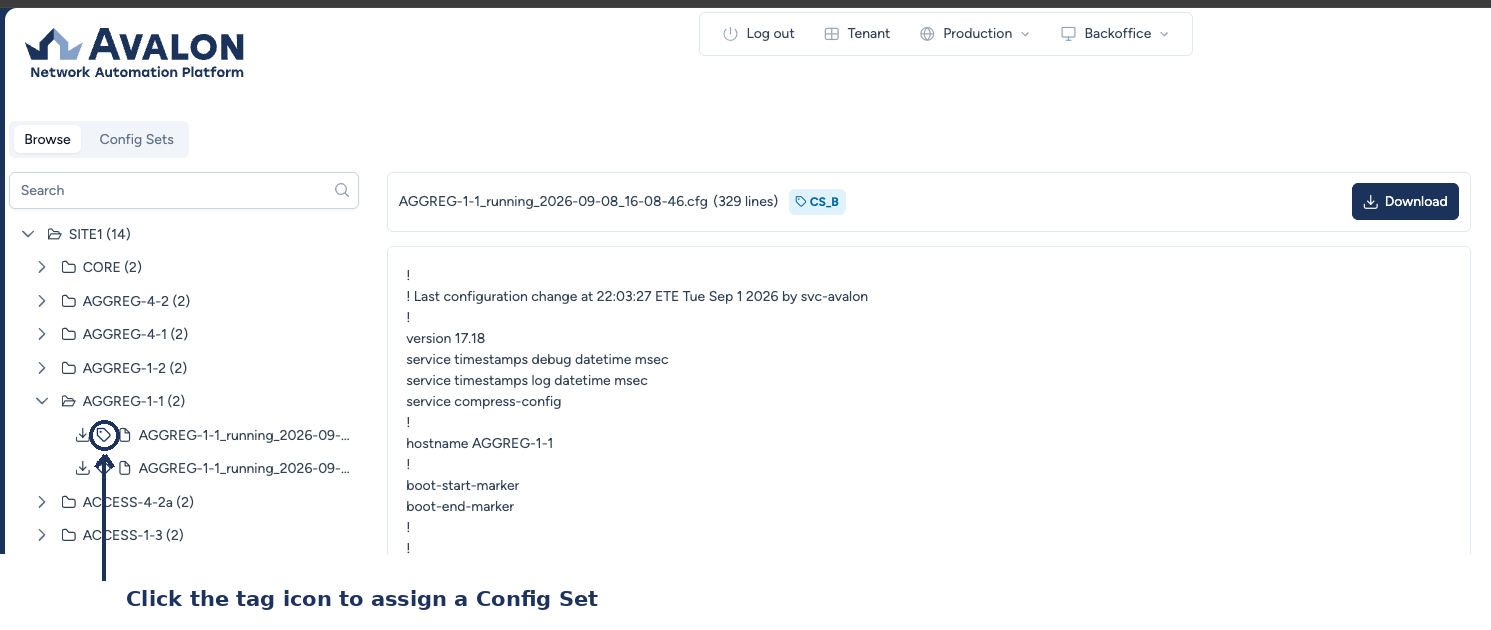
Click the icon, pick the set, Apply confirms. The same dialog is used to remove a file from its set.
Restoring a set
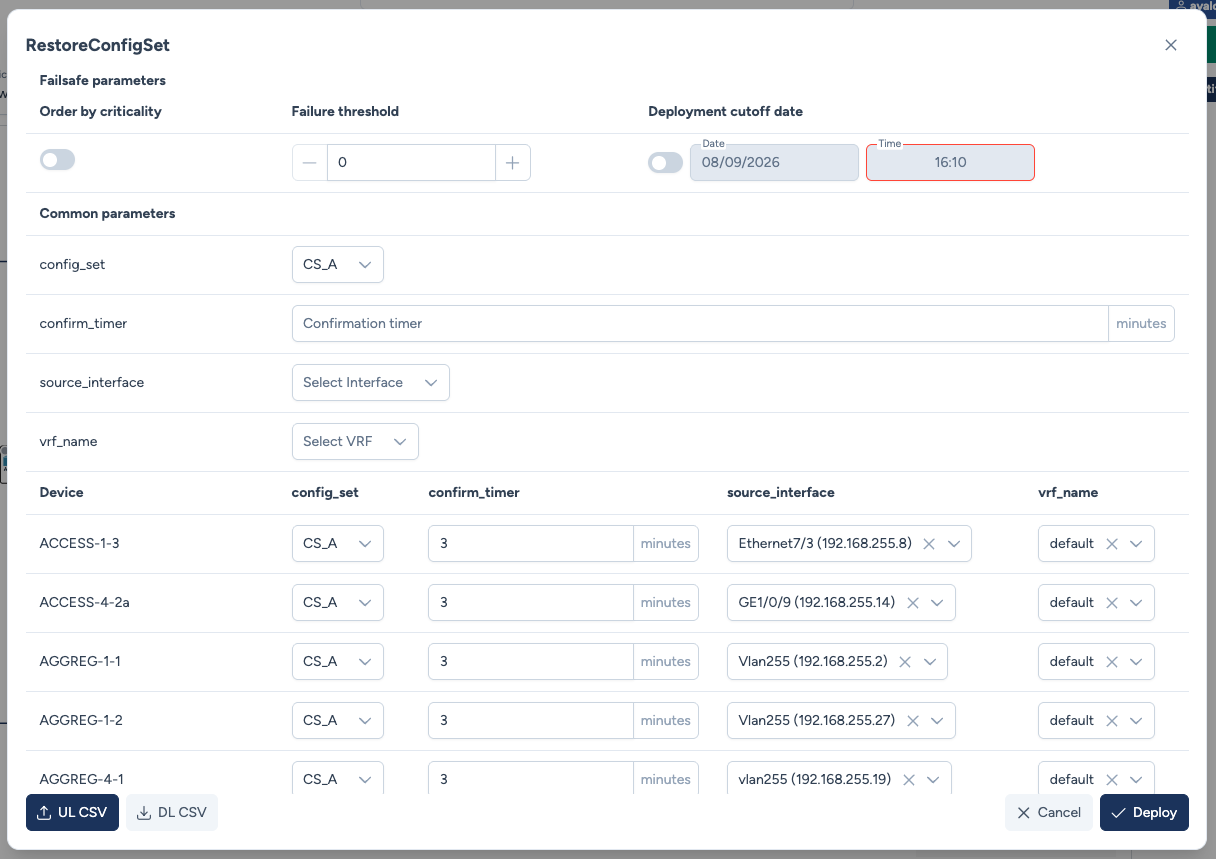
Restoration goes through the RestoreConfigSet service, launched from the map on a device selection, or scheduled.
Its parameters:
- Config set: the set to replay. Only sets that actually hold a configuration for the targeted devices are offered.
- Source interface: the interface the device will fetch the file from. The choice is limited to interfaces that have an address.
- VRF: deduced from the source interface, since the device retrieves the file over TFTP. A device reached through a dedicated VRF needs it on the copy command.
What happens on the device
Configuration replacement does not work the same way across vendors, and the difference matters before you launch the operation.
| System | Mechanism | Automatic rollback |
|---|---|---|
| Cisco IOS and IOS-XE | configure replace with a confirmation timer |
yes |
| Cisco NX-OS | configure replace |
yes |
| Aruba OS-CX | checkpoints | yes |
| Huawei VRP | rollback configuration to file |
no |
| HP Comware | configuration replace file, live |
no |
| HP ProCurve | written to the startup configuration | not applicable, see below |
On Huawei VRP and HP Comware there is no safety net
The replaced configuration is active immediately and the device will not restore itself if it becomes unreachable. Avalon reports this in the transaction before acting, then states explicitly that manual recovery will be required if reconnection fails.
Saving the startup configuration is deliberately the last step: until it has run, the device still boots on its previous configuration, which remains the only way out.
On HP ProCurve nothing applies live
The device cannot replace its running configuration, a copy would merge line by line instead of replacing. The configuration is therefore written to the startup configuration and only takes effect at the next reboot, which is left to an operator and is never triggered by Avalon.
This capability requires version 16.05 or later.
On Cisco and Aruba, where rollback is armed, a device that becomes unreachable during the operation restores its previous configuration on its own when the timer expires. The device handles it, not Avalon, so the safety net holds even if the link to Avalon is lost.
Data Retention Policy (Automated Cleanup)
By default, Avalon keeps all backed-up files indefinitely. To prevent disk saturation over the long term, you must establish a retention policy.
The RemoveFiles service
Avalon provides a specific service called RemoveFiles designed to delete old backups and devices' archived logs based on their age.
This service is not scheduled by default. You must manually create a recurring task in the Schedule menu (e.g., a monthly task) using the RemoveFiles service. You can specify a retention period (e.g., "older than 30 days") to automatically purge obsolete configurations and archived logs.