RADIUS Management
This section provides a centralized interface for managing AAA (Authentication, Authorization, and Accounting) configurations.
To ensure modularity and ease of maintenance, Avalon uses a Service Chaining logic. Instead of repeating IP addresses and secrets on every device, you define them once as objects and reference them hierarchically.
Chaining logic
A complete configuration breaks down into three services:
- User (optional): A user declared on the device that will be used to test RADIUS server functionality. See Users.
- Radius Server: The definition of a RADIUS server. Avalon can associate a user account that you have previously defined.
- Radius Group: References one or more RADIUS servers and defines certain common parameters (source interface).
RADIUS Servers
Definition of external authentication servers.
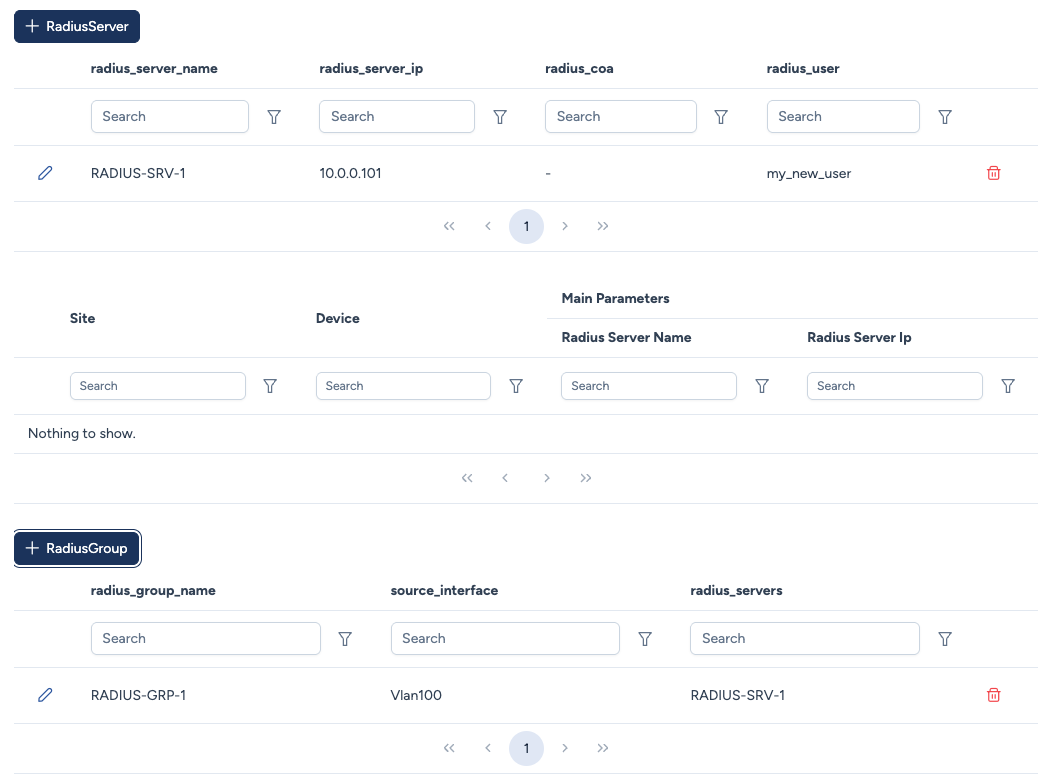
Creating a server definition
When adding a server, you can link it to a previously defined User object.
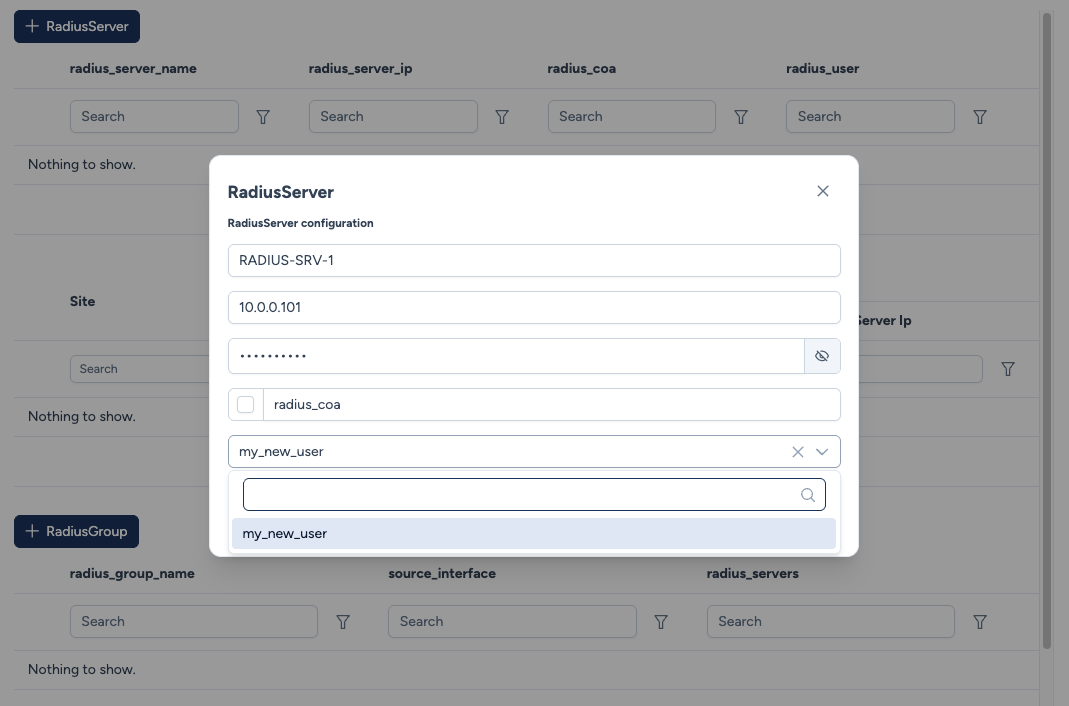
Configuration parameters:
- Radius Server Name: A logical label (e.g.,
RADIUS-SRV-1). - Server IP: The IPv4 address of the RADIUS server.
- Password: The pre-shared key (shared secret) for encryption.
- Radius COA: Enables Change of Authorization (CoA) on this server, allowing the RADIUS server to send real-time authorization changes to network devices.
- Radius User: Dropdown menu to select a user profile defined in Users. This allows the device to periodically verify if the RADIUS service is operational. (e.g., Cisco
automate-tester)
RADIUS Groups
Grouping servers into a single logical entity.
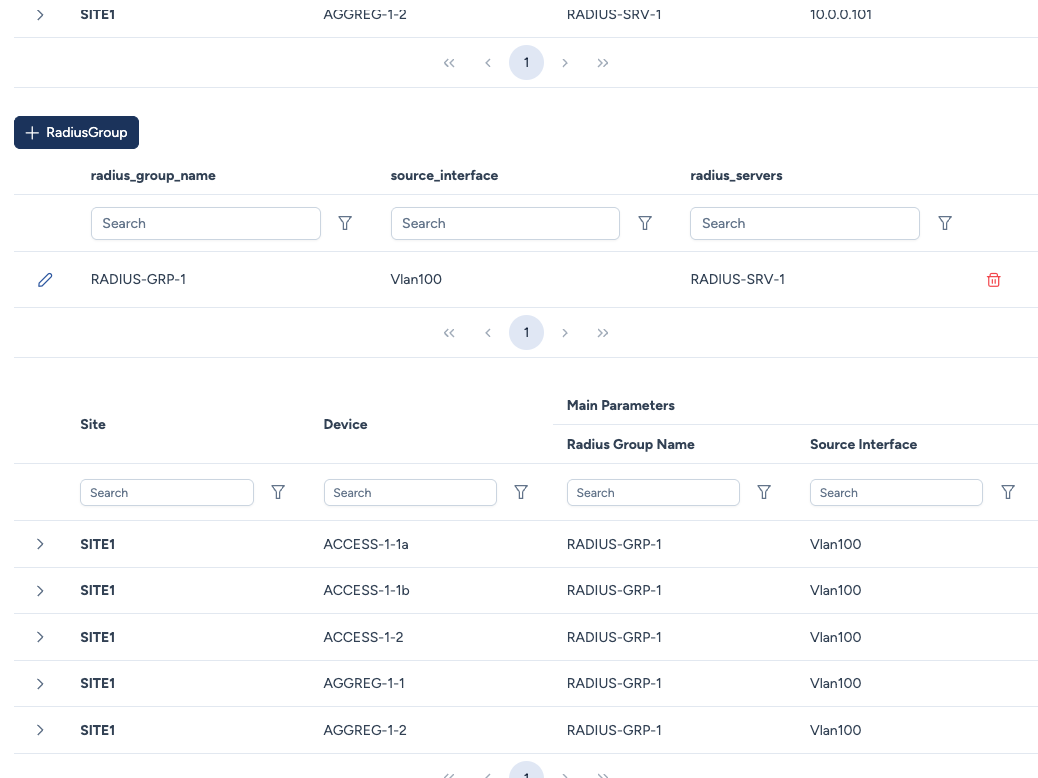
Creating a group
When creating a group, you select the member servers:
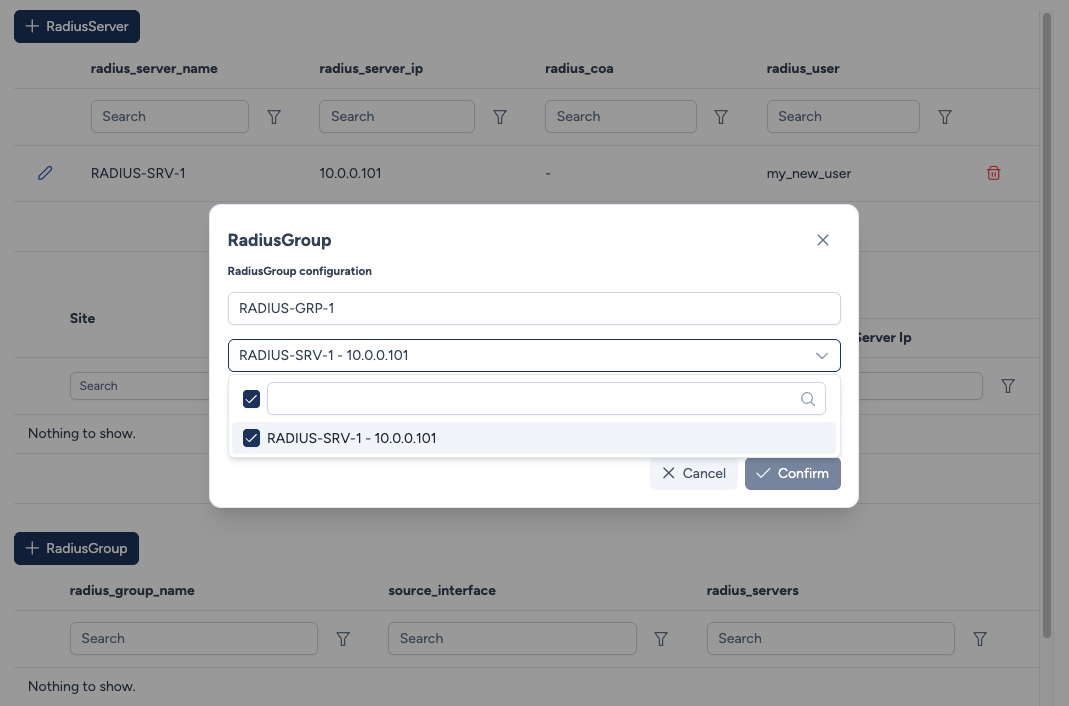
Configuration parameters:
- Radius Group Name: The unique identifier for the group (e.g.,
RADIUS-GRP-1). - Source Interface: Automatically resolved via the engineering rule's interface conditions. Avalon identifies the matching interface on each device based on the defined filters (e.g., IP on interface, Interface name).
- VRF: Automatically resolved from the source interface. When a source interface is identified, Avalon retrieves the VRF associated with that interface.
- Radius Servers: Selection of RADIUS Servers belonging to this group (multi-select).
Supported platforms
This service relies on a configuration template written for each system. It is only available on the following platforms:
- Cisco IOS and IOS-XE
- Cisco NX-OS
- Aruba OS-CX
- Huawei VRP
On a device running another platform, the service is not offered.
Service Instances - Deployment
The bottom sections of the Server and Group tables display the main parameters and the Site/Device association, allowing you to audit where these definitions are active in the network.