Custom services
Custom services let you create your own service (configuration) templates. Once defined, these services are available across the platform: including the Maps, Schedule, and Engineering Rules pages.
These services are primarily designed for configuration deployment, but they can also execute commands in "enable" mode (e.g., purging local files).

Concept
The principle is to create a network service that can be used in the interfaces of your choice.
A service is characterized by:
- Name: a unique name to identify the service
- Description: allows all users to understand what the service produces
- Category: the category allows you to create hierarchical menus to organize your services.
-
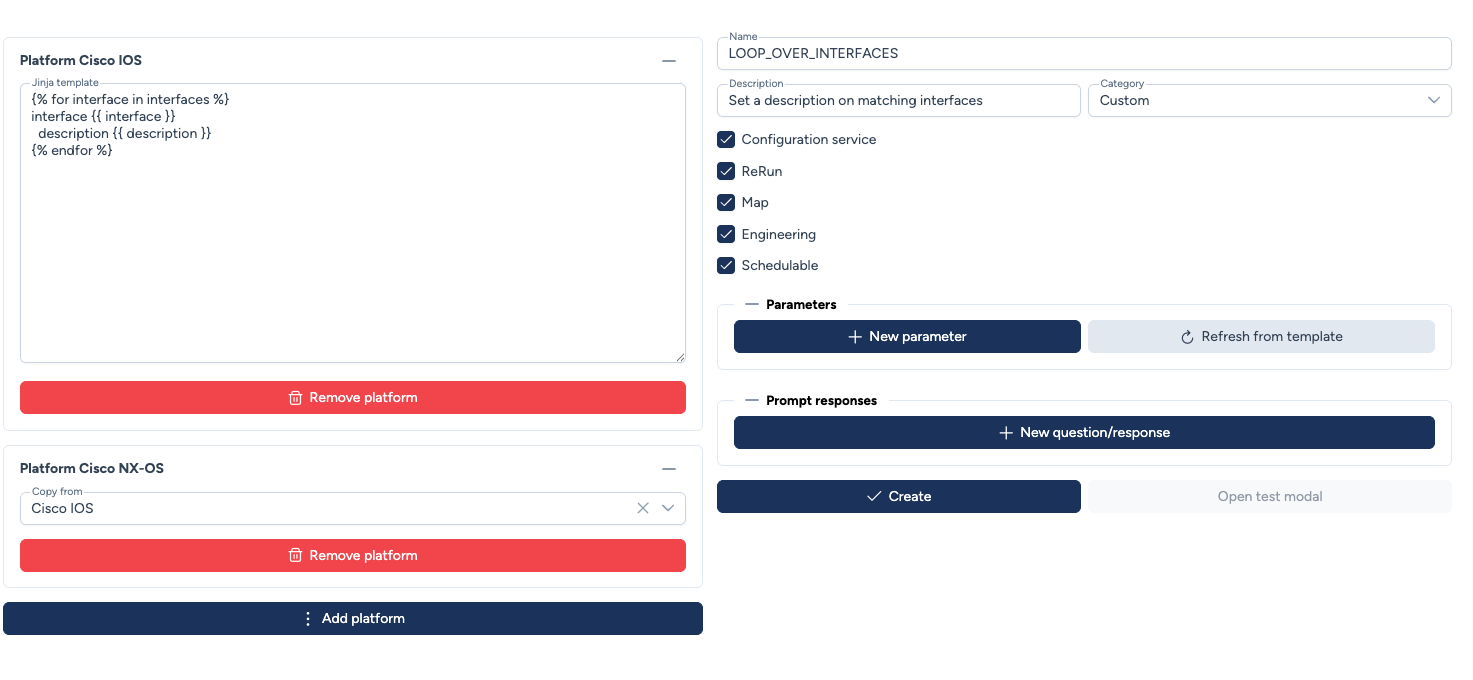
Template:
- The template must be written in Jinja2
- template parameters are detected by Avalon and you will need to assign them a type
- You can define a template per platform or reuse a template for multiple platforms when possible (some IOS XE templates can work on NX-OS for example)
-
Options:
- Configuration service: indicates that the service will create configurations on the device. This allows our configuration injection engine to enter the device's configuration mode, enable appropriate error detection, and create the necessary restore points for Rollback.
- ReRun: indicates whether the service can be replayed in case of failure
- Map: makes the service available from maps
- Engineering: makes the service available in engineering rules.
Parameter Definition
Some parameters are hidden in engineering rules because this deployment mode is not intended to manually define parameters for each device.
- Prompt responses: For commands requiring confirmation, Avalon handles the interaction via a Q/A flow. Multiple prompts can be configured.
Roadmap: User-defined categories
User-defined categories for Custom Services are under consideration.
Jinja2 Templating
Avalon uses Jinja2 to render configurations. Jinja2 allows you to add variables, iterate over data with loops, and introduce conditional structures.
Avalon reserved variables
Avalon automatically provides context-aware variables during execution:
hostname: The current device name as stored in the database.device_model: The hardware SKU of the targeted device.
Basic syntax and control structures
-
Expressions: Display the value of a variable.
{{ interface_id }} -
Statements: Logic control (loops, conditionals).
{% ... %} -
Loops: Iteration over lists.
{% for item in list %}
 Do something with {{ item }}
{% endfor %}
- Conditionals: Apply configuration based on criteria.
{% if '2960' in device_model %}
 authentication convert-to new-style
{% endif %}
The full range of possibilities is detailed in the official Jinja2 documentation.
Real-time Validation
Avalon continuously checks your Jinja2 template syntax. If a tag is left open or an error is detected, Avalon identifies the line and error.
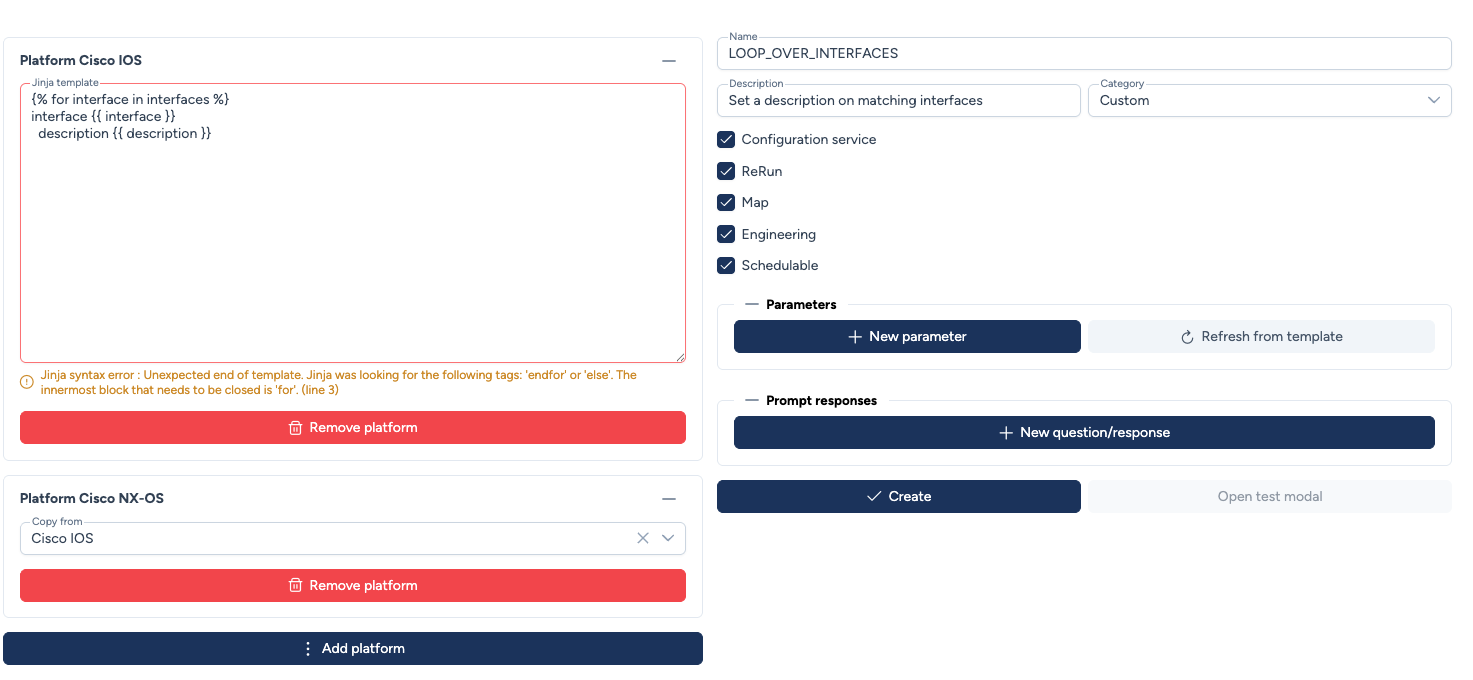
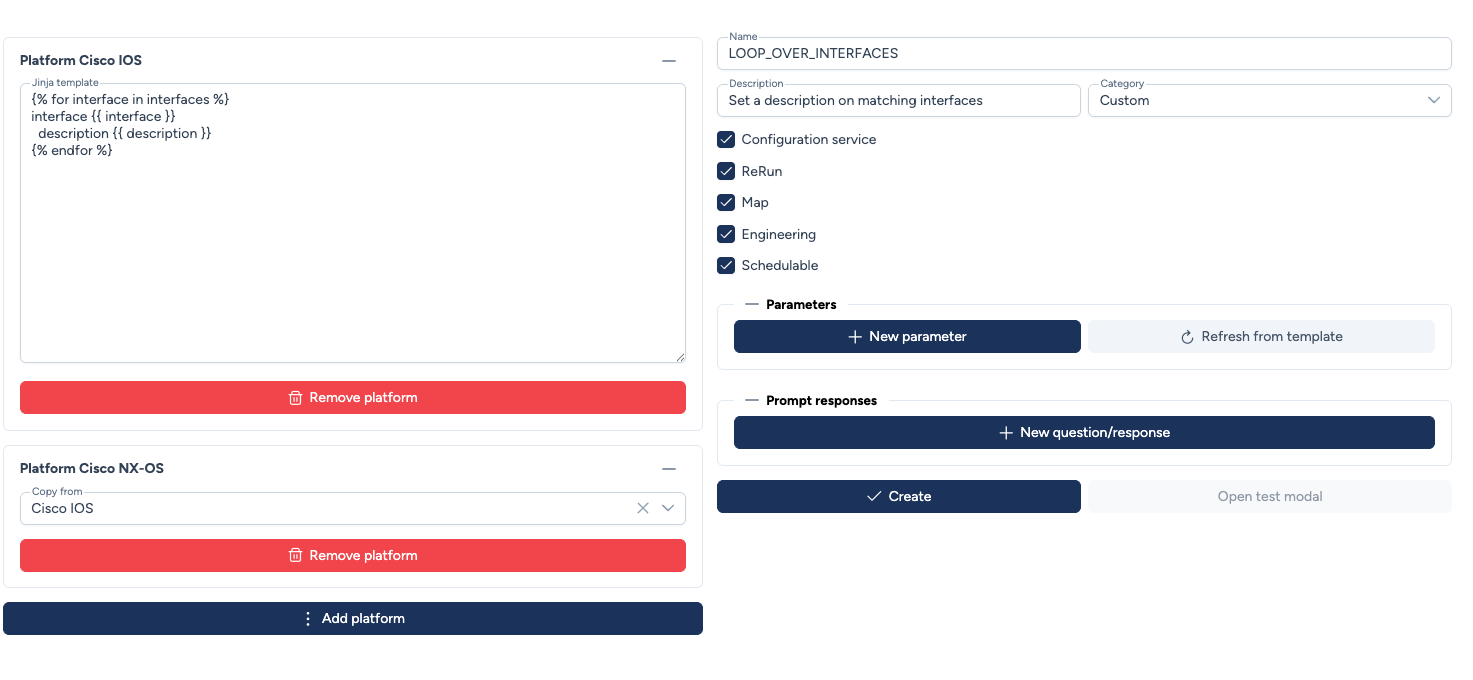
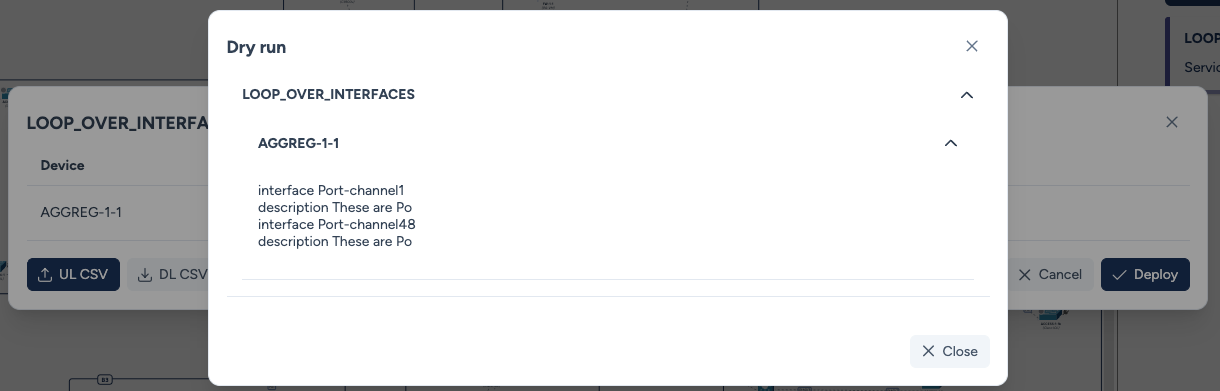
The template used for Cisco IOS to loop over an interface list and add a description is as follows:
{% for interface in interfaces %}
interface {{ interface }}
  description {{ description }}
{% endfor %}
Parameter typing
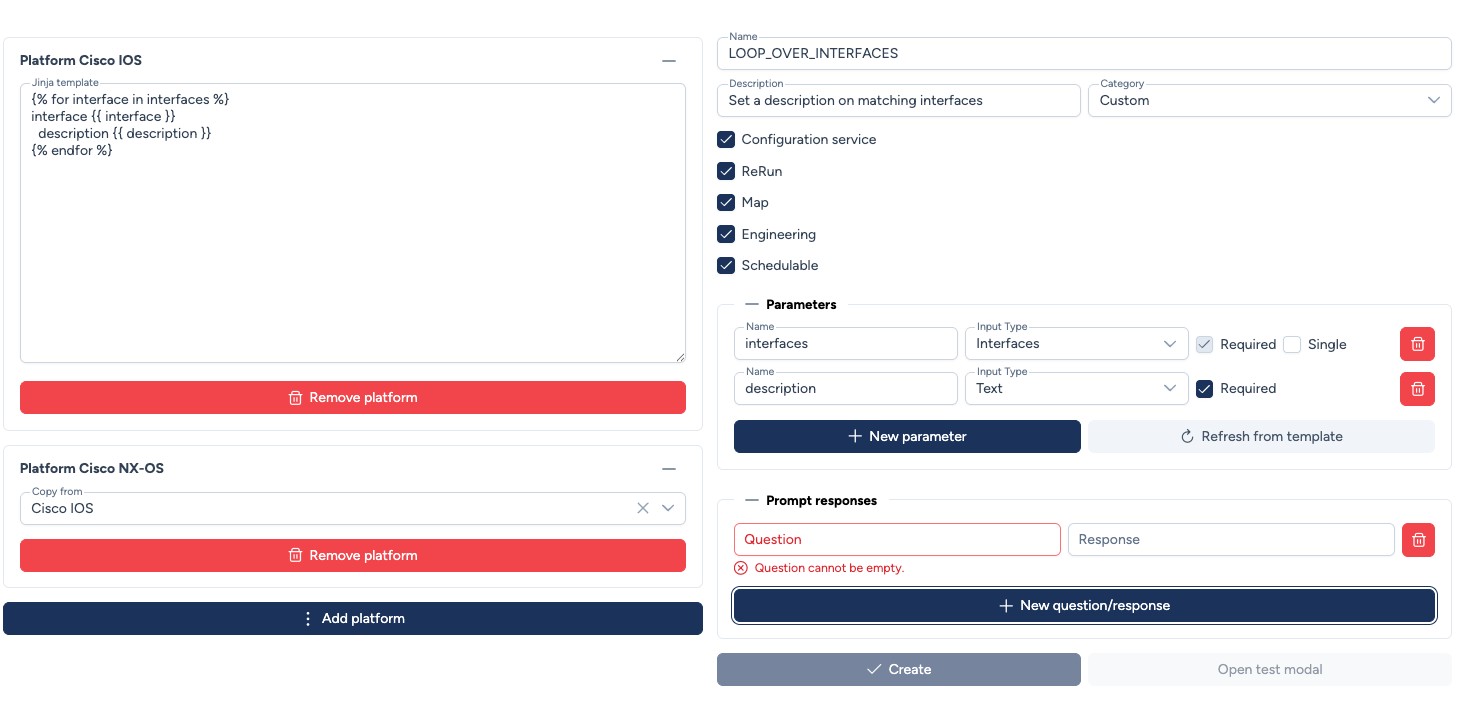
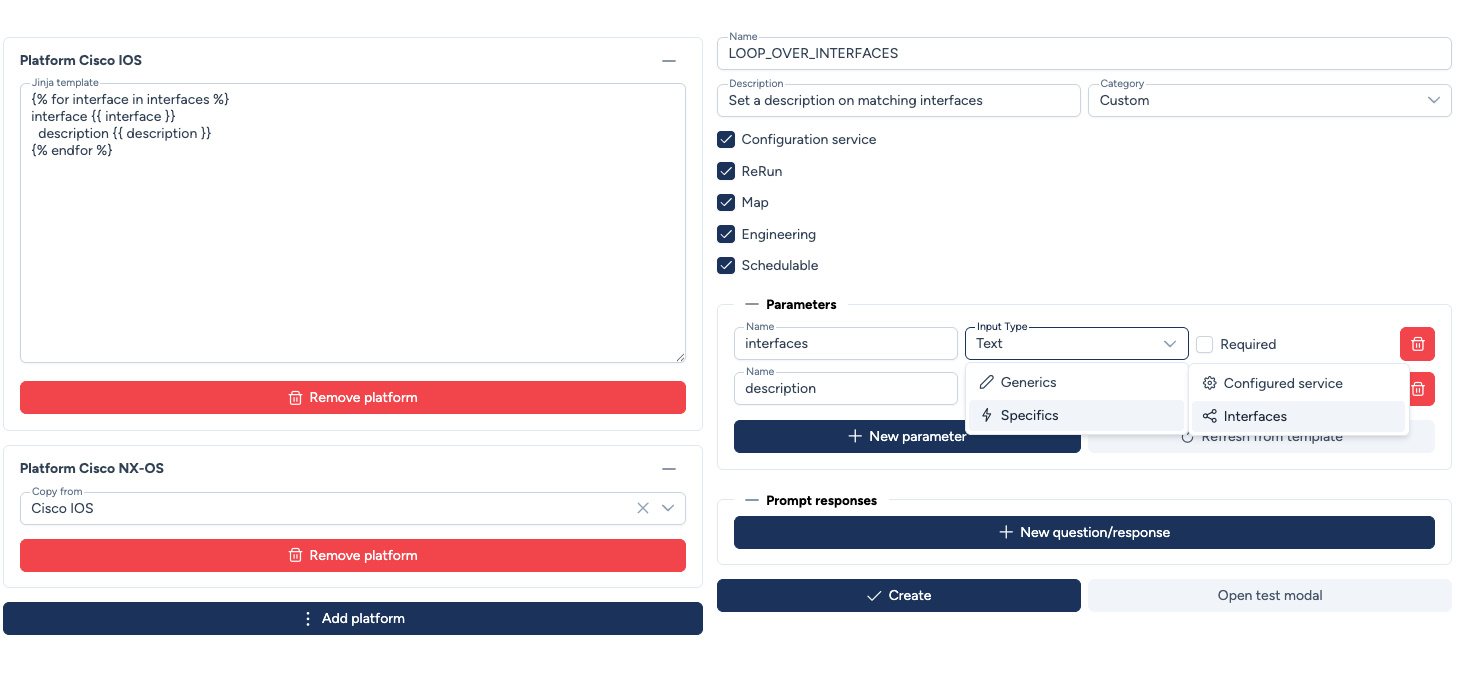
After clicking Refresh from template, Avalon detects Jinja2 variables and asks you to configure each parameter. The type selector is organized in 3 levels:
-
Manual input: Values entered manually by the user.
- Text: Free text.
- Password: Masked field for sensitive values.
- Boolean: True or false.
- IP: IP address.
-
From device: Data linked to the device's database objects.
- Interfaces: Links the service to the device's actual interfaces.
-
From service: Data from another service.
- Configured Services: Pre-configured instances of a service (e.g., RADIUS server, user account), organized by category and template.
Parameter validation
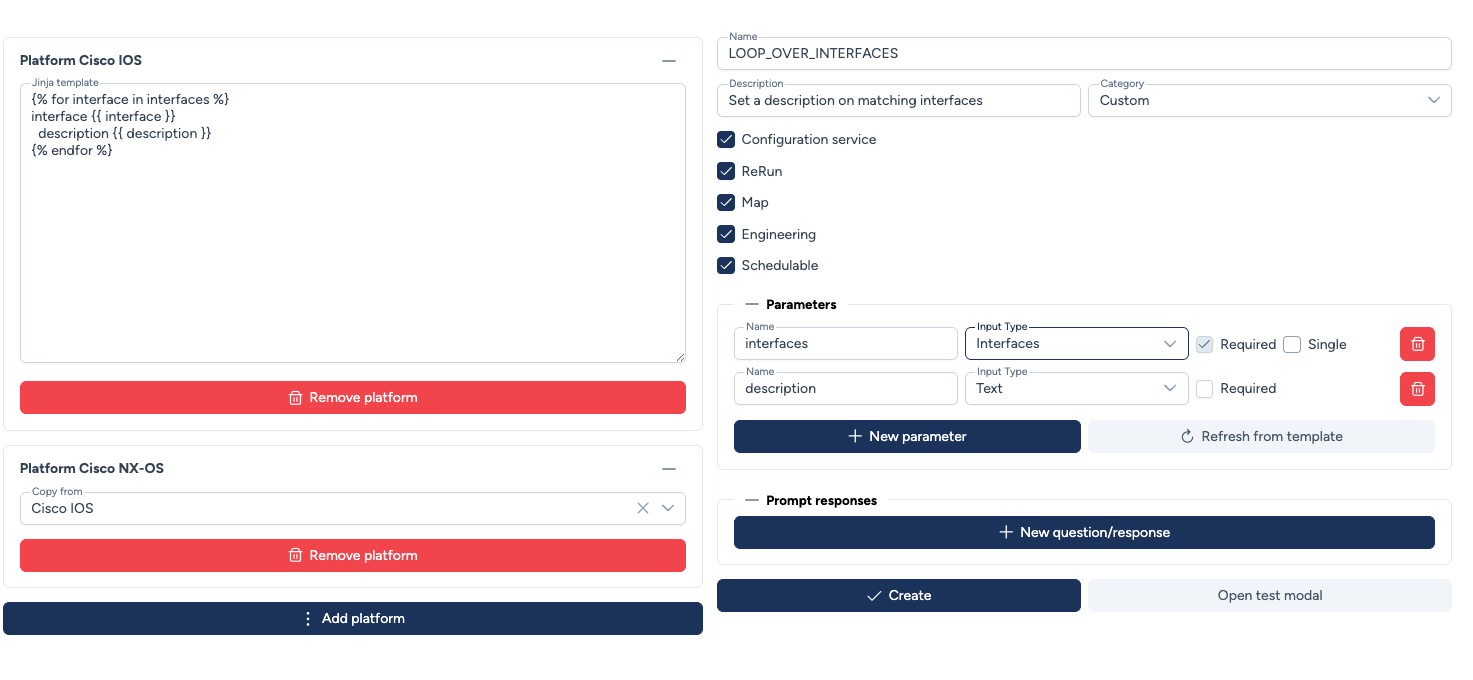
Parameters must be explicitly configured (type selection) before saving the template. Avalon also detects Jinja2 variables present in the template that have no corresponding parameter and blocks saving accordingly.
Interface parameter behavior
When a parameter is typed Interfaces, you can define its constraint via the Single checkbox:
- Unchecked (default): The parameter is treated as a list, enabling the use of Jinja2 loops for bulk port configuration.
-
Checked: The service accepts a single interface:
- Engineering rule: Avalon will trigger an error if multiple interfaces are found dynamically.
- Map and Schedule: the visual component used will only allow the selection of a single interface.
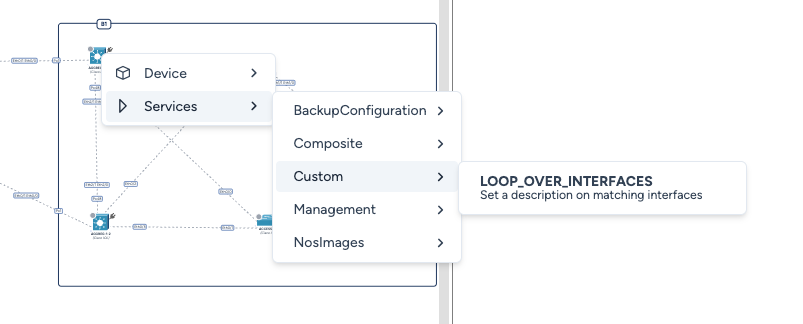
Example: deployment from the site map
Service available in Services > Custom on the map. Custom corresponds to the service category.
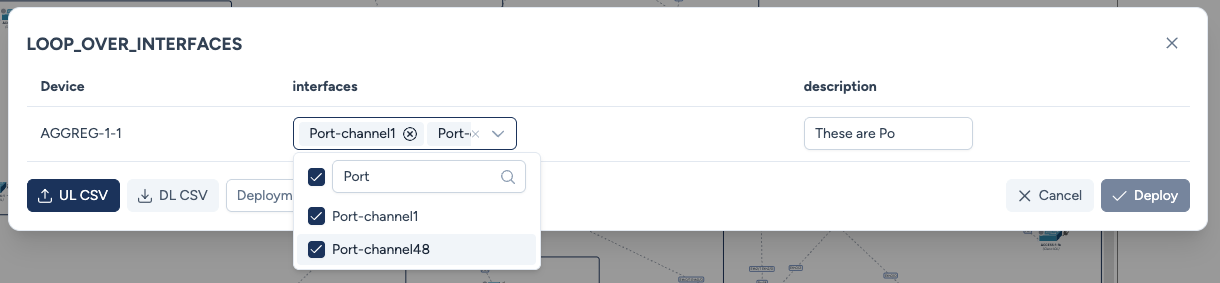
Parameter entry and Dry Run
When launching the service, you must provide the parameters defined in the template. For interface-type parameters, you can choose from the device's actual inventory.
The Dry Run deployment mode generates the final CLI output before deployment.
Management and Deployment History
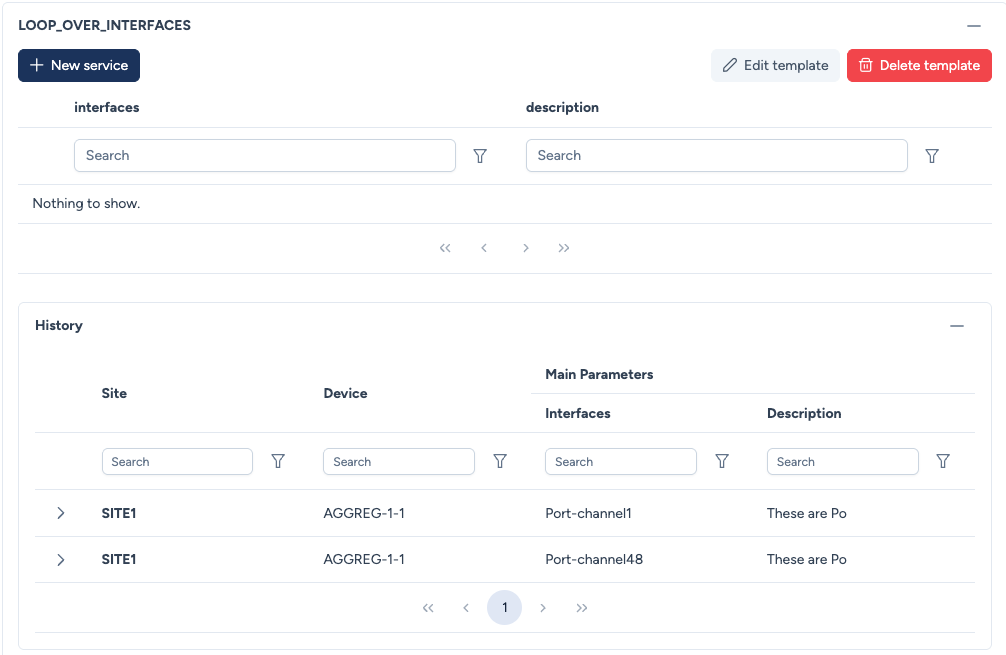
Avalon maintains a comprehensive dashboard for each custom service, displaying its definition and deployment history across the network.
- Instance Table: Global instantiation for reuse as Configured Service by other services or directly in an engineering rule.
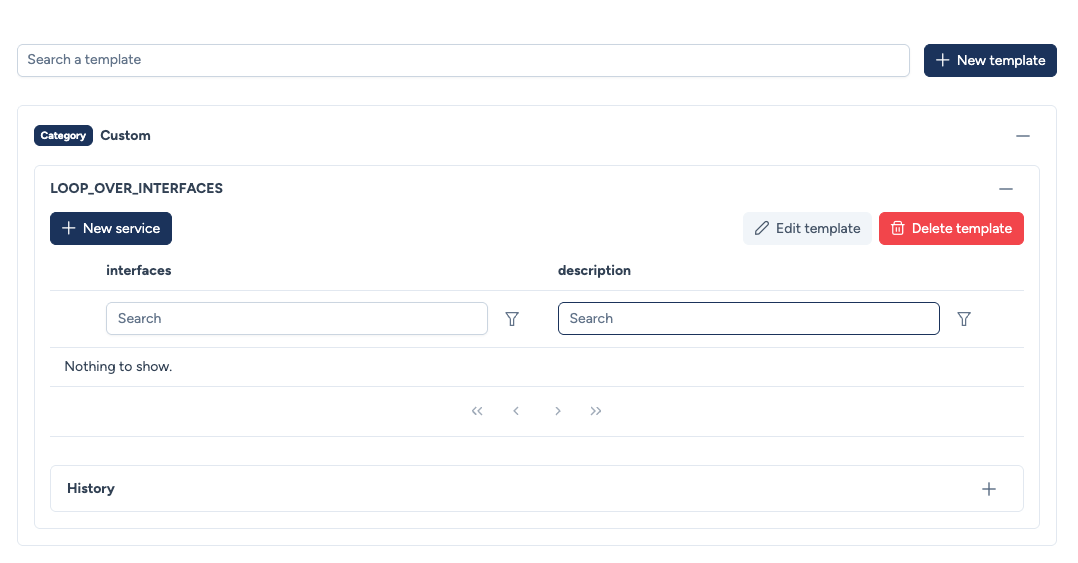
- History: You can view the history to see which parameters were used for each device during previous deployments.