Redundancy groups
This feature allows you to define logical groupings of devices to ensure service continuity. Redundancy groups are critical during maintenance operations: Avalon uses this information to strictly prevent simultaneous upgrades of devices belonging to the same group.
This applies to independent devices that together provide a redundant function in your network (for example, two distribution switches serving the same access layer).
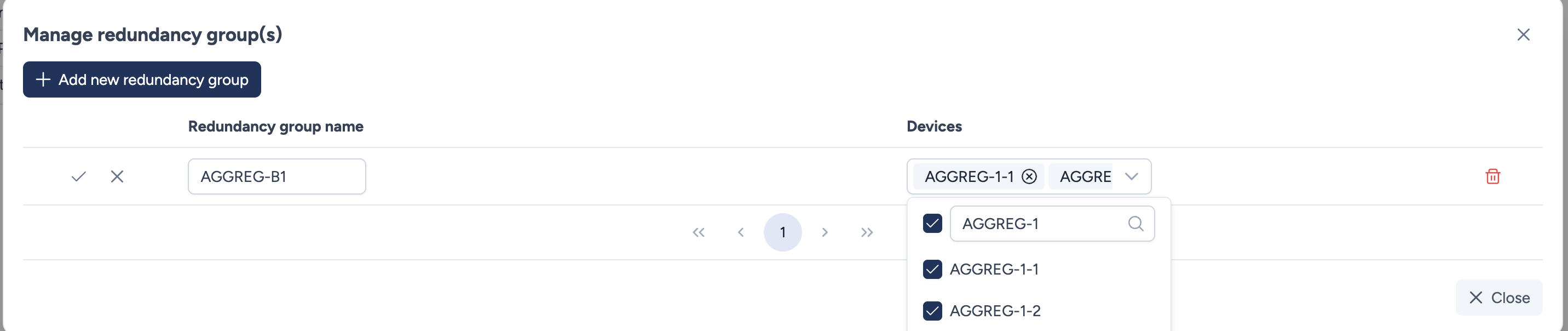
Configuration parameters
You can create or edit groups using the management modal.
- Redundancy group name: A unique label to identify the pair or group (e.g.,
AGGREG-B1). - Devices: A multi-select dropdown to assign members to the group. You can select two or more devices. A device can only belong to one redundancy group.
Visualization and Selection
Once configured, these groups become integral parts of the site topology and navigation.
On the map:
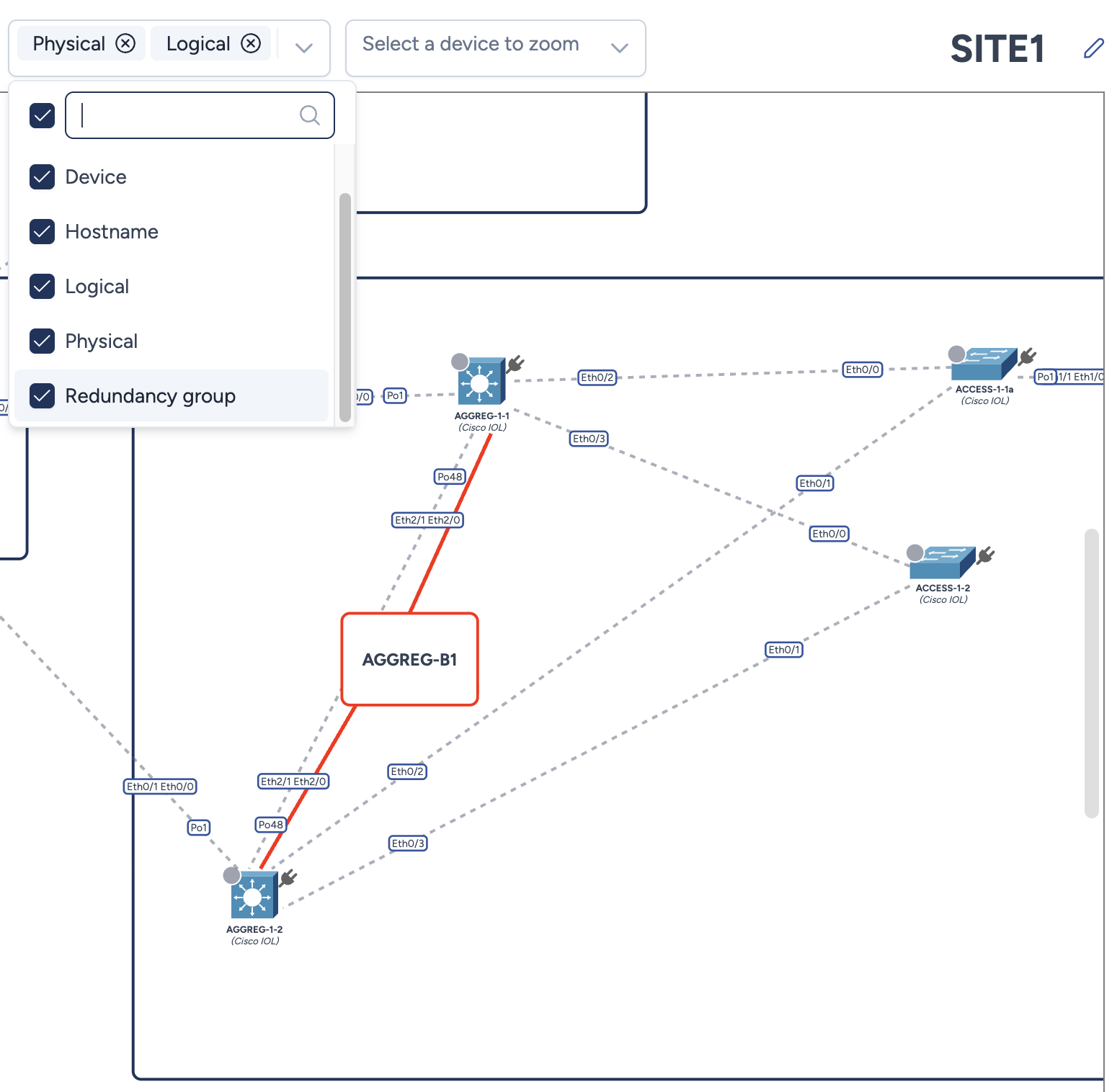
By enabling the Redundancy groups option in the Display Settings, the group is materialized visually. A labeled area (centroid) appears at the geometric center of the member devices, linking them together to indicate their relationship.
Quick selection:
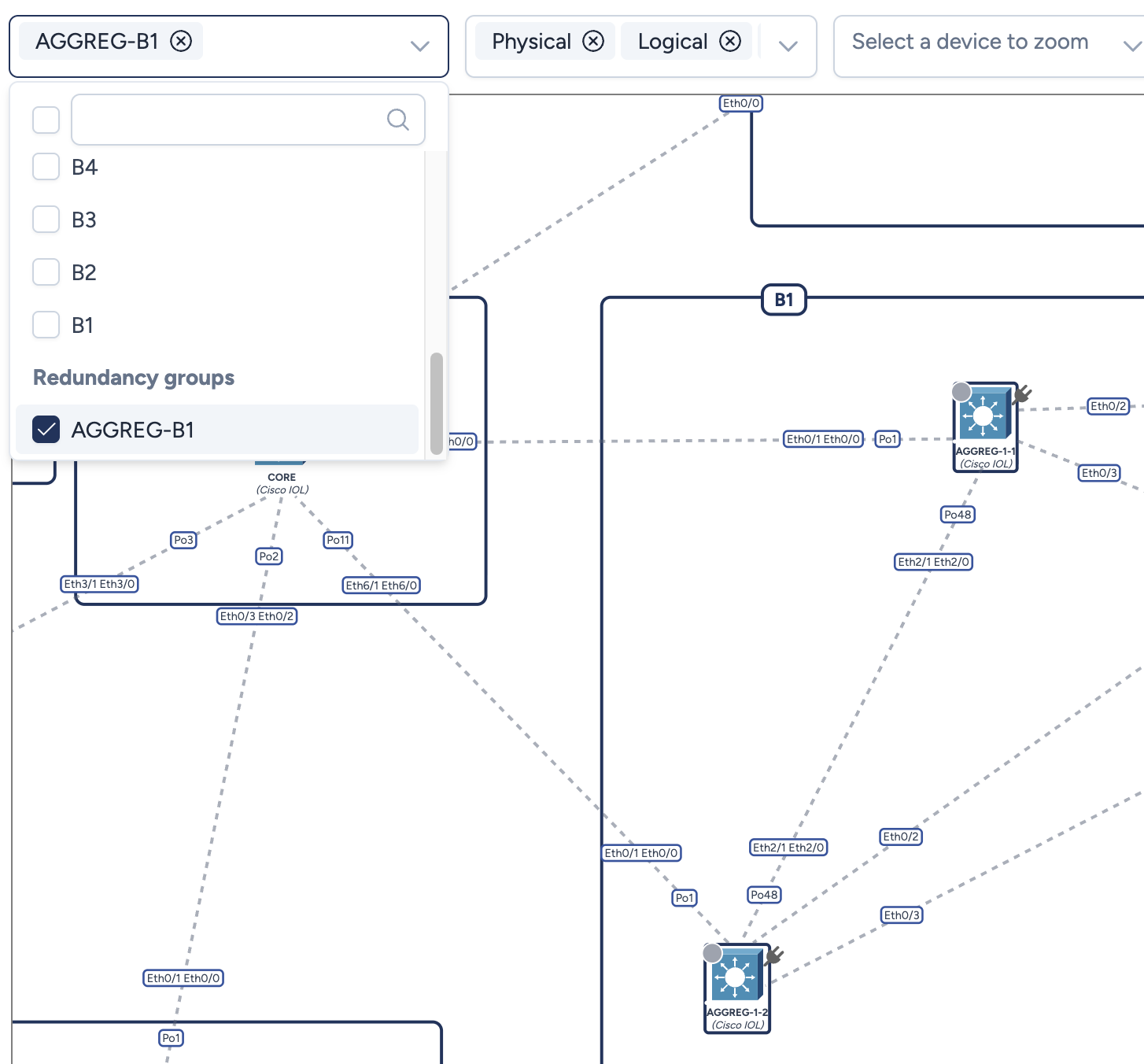
You can use the Quick select devices menu in the top bar to filter devices by their redundancy group. Selecting a group name (e.g., AGGREG-B1) automatically selects all member devices on the map for bulk operations.
Actions
- Add new redundancy group: Creates a blank line to define a new group.
- checkmark icon Validates and saves the new group or changes.
- cross icon Discards changes for the specific line.
- trash icon Permanently removes the redundancy group definition (the devices remain on the map).