LDAP Configuration
This page allows you to configure one or more external LDAP servers (Active Directory, OpenLDAP, etc.) to authenticate users in Avalon.
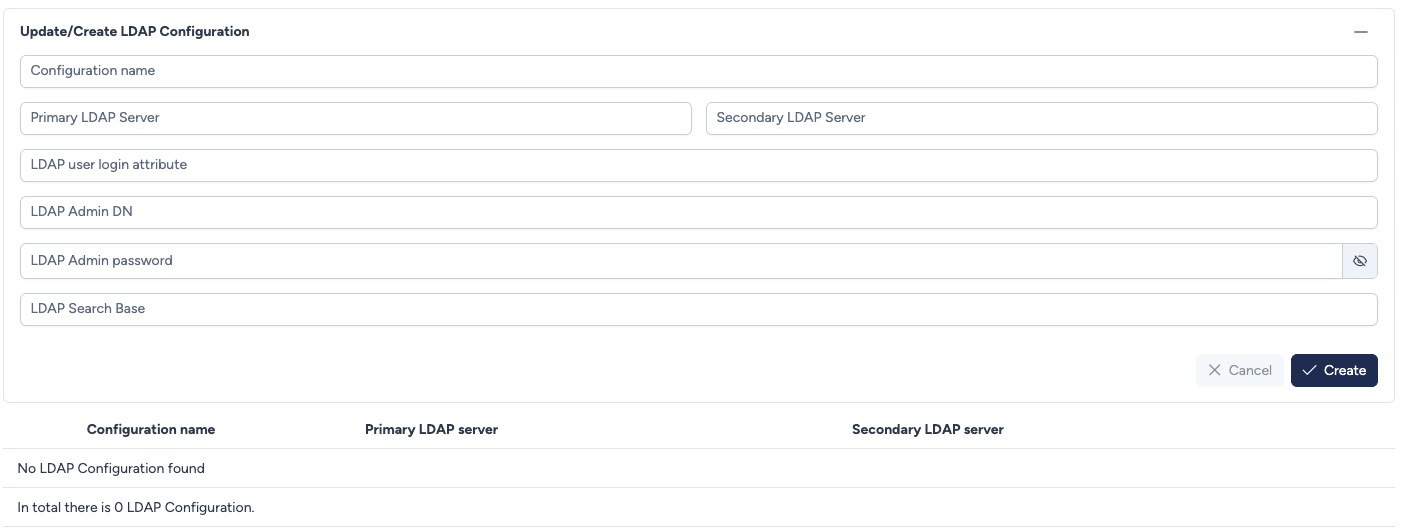
Connection parameters
The interface requires specific details about your LDAP infrastructure to establish a connection.
- Configuration Name: A unique name to identify this LDAP configuration in Avalon.
- Primary LDAP Server: The IP address or FQDN of your primary LDAP server.
- Secondary LDAP Server: The IP address or FQDN of a backup LDAP server (optional, for redundancy).
- LDAP User Login Attribute: The attribute used to identify users during login (e.g.,
uid,sAMAccountName,cn). - LDAP Admin DN: The distinguished name (DN) of the service account used by Avalon to browse the directory (bind user).
- LDAP Admin Password: The password associated with the Admin DN account.
- LDAP Search Base: The location in the directory (base DN) where Avalon should start searching for users (e.g.,
ou=users,dc=example,dc=com). -
Connection Mode: The connection mode to the LDAP server:
Mode Port Description PLAIN 389 Standard LDAP connection, without encryption. Default mode. TLS_NO_VERIFY 636 Encrypted LDAPS connection (TLS) without server certificate verification. Useful for test environments or self-signed certificates. TLS 636 Encrypted LDAPS connection with server certificate verification. Requires uploading a CA certificate in PEM format. -
CA Certificate: (visible only in TLS mode) The certificate of the certification authority that signed your LDAP server's certificate (PEM format).
Security
The LDAP admin password is never displayed after the configuration is created. You can change it at any time by entering a new value in the LDAP Admin Password field.
Recommendation
In production, prefer TLS mode to ensure encryption and LDAP server authenticity. TLS_NO_VERIFY mode should only be used as a temporary workaround.
LDAP group → Avalon role mapping
Avalon can automatically assign roles to LDAP users based on their Active Directory groups. This configuration is done from Administration > Roles > LDAP Mappings.
Existing configurations
Below the creation form, a table displays all currently configured LDAP connections.
- Configuration Name: The name given to the configuration.
- Primary LDAP Server: The configured primary server address.
- Secondary LDAP Server: The backup server address (if defined).
Actions
- Cancel: Discards the current input.
- Create: Validates and saves the new LDAP configuration.