Device Types
Create, edit and delete the device categories managed by Avalon (switch, router, firewall, etc.). Customize their appearance on the map and assign them a specific service account.
Create or edit a device type
To create a new device type, click the + button at the top of the page. To edit an existing one, click the pencil icon next to its name.
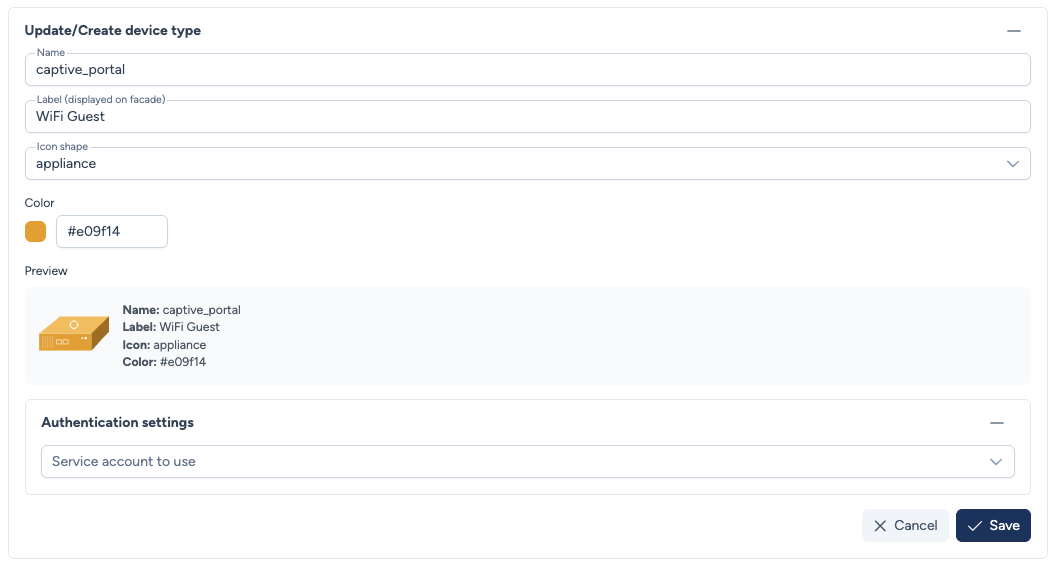
The form includes:
- Name: The technical name of the device type (e.g.,
captive_portal,firewall). This name cannot be modified once devices are attached to it. - Label (displayed on facade): The label shown on the map and in the interface (e.g.,
WiFi Guest,Firewall). - Icon shape: The shape of the icon used to represent this device type on the map.
- Color: The icon color.
A preview of the icon is displayed in real-time below the configuration fields.
Authentication settings
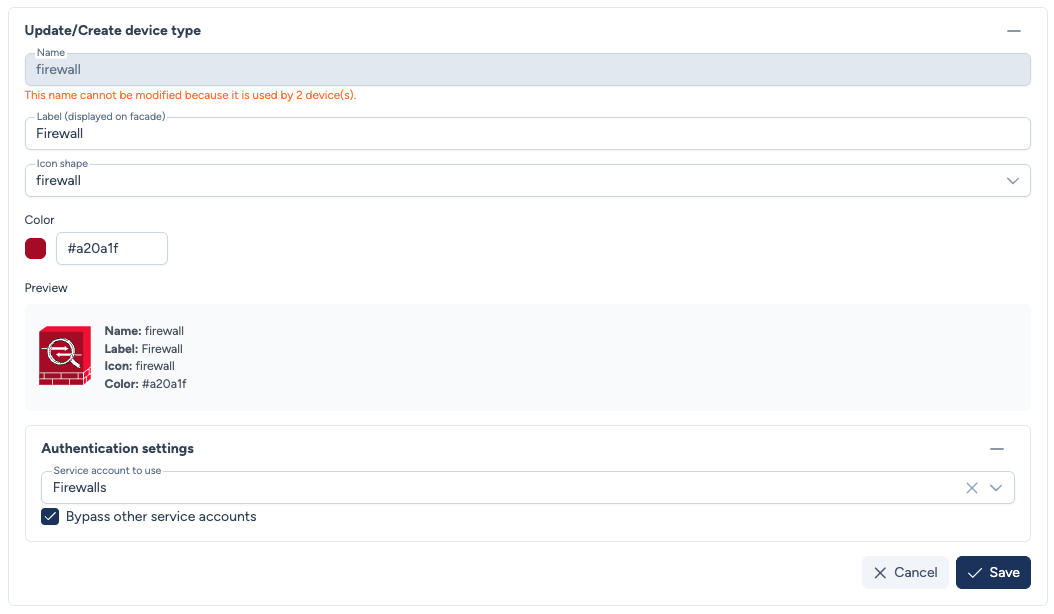
- Service account to use: Assign a specific service account to this device type. All devices of this type will use this service account, regardless of the tenant.
- Bypass other accounts: When enabled, the service account assigned to the device type takes absolute priority, bypassing the standard resolution (user credentials and tenant service account).
Use case
The Bypass option is useful when certain devices require specific credentials different from the rest of the network (e.g., firewalls managed by a security team with their own credentials).
Delete a device type
To delete a device type, click the trash icon next to its name.
Warning
A device type cannot be deleted if it is still used by devices.