Service Accounts
Avalon uses service accounts to connect to network devices and execute operations (services, data gathering, autodiscovery, etc.).
Service accounts are global: they are not bound to a specific tenant. Associate them with one or more tenants and/or device types as needed.
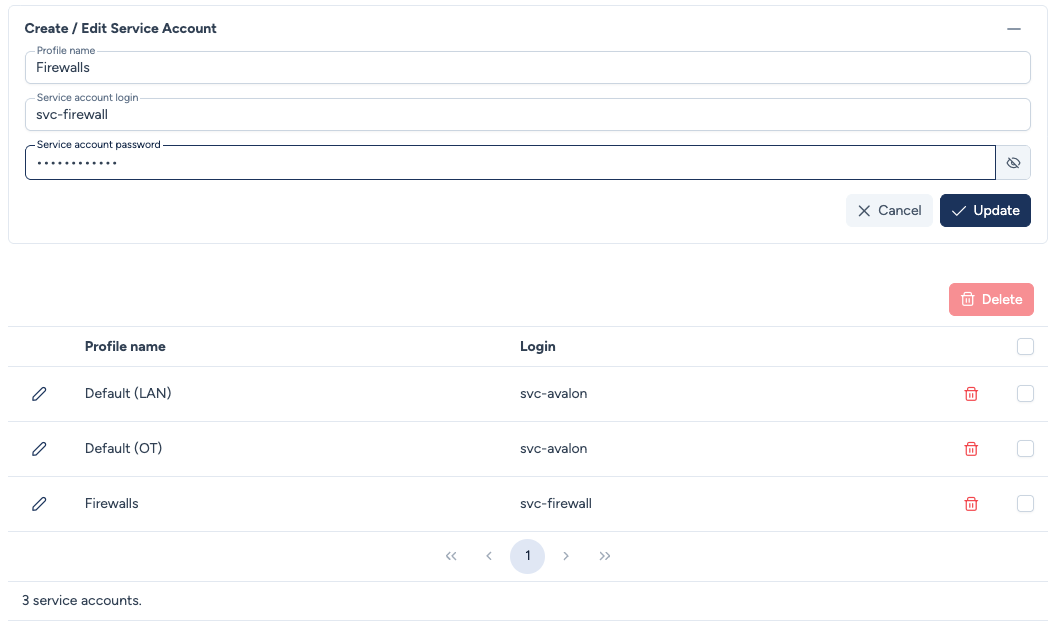
Create or edit a service account
To create a new service account, click the + button at the top of the page. To edit an existing one, click the pencil icon next to its name.
The form includes:
- Profile name: A descriptive name to identify the service account (e.g.,
Default (LAN),Firewalls). - Service account login: The login used to connect to devices.
- Service account password: The associated password.
Security
The service account password is never displayed after creation. You can update it at any time by entering a new value.
Binding to tenants and device types
A service account can be associated in two ways:
- At the tenant level: In the tenant form, select the service account in the Service account to use field. All devices in the tenant will use this service account by default.
- At the device type level: In the device type form, select the service account in the Service account to use field. This service account will be used for all devices of this type, regardless of the tenant.
Credential resolution
Avalon automatically resolves which credentials to use for each connection through a 4-step cascade. See the Device connection page for the full details and resolution diagram.
Delete a service account
To delete a service account, click the trash icon next to its name, or select multiple service accounts and use the Delete button for bulk deletion.
Warning
A service account cannot be deleted if it is still associated with a tenant or a device type. Reassign the affected tenants and device types beforehand.