API Keys
API keys allow you to interact with the Avalon API programmatically, without going through the web interface. They are ideal for integrations, automation scripts or third-party tools.
Unlike user accounts, API keys are global: they are not tied to a specific user or tenant. Each key carries its own permissions, following the same structure as roles.
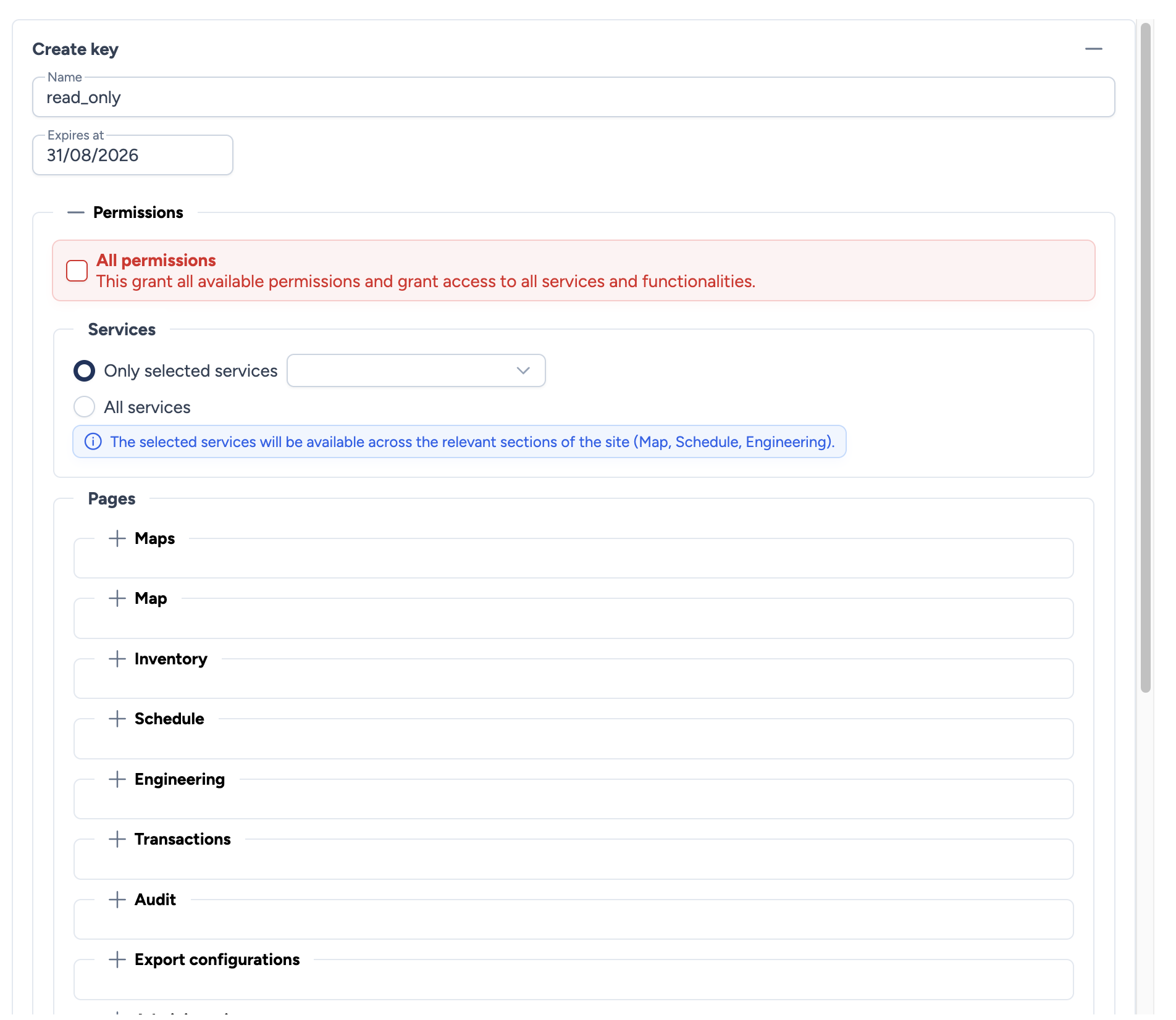
Create an API key
To create a new key, click the + button at the top of the page. The form includes:
- Name: A descriptive name to identify the key (e.g.,
monitoring_readonly,ci_deploy). - Expires at: Optional expiration date. At this date, the key will be automatically rejected. Leave empty for a key without expiration.
Permissions
Permissions are identical to those of roles, except for WebSSH which is not available for API keys.
You can enable All permissions for full access, or configure each section individually. See the Role management page for details on each permission.
Save your key
The token is displayed only once after creation. Copy it and store it in a safe place. It cannot be retrieved later.
The generated token format is: ak_avalon_<token>
Usage
To authenticate an API request with a key, add the following header:
X-API-Key: ak_avalon_<your_token>
Coexistence with JWT authentication
If a request contains both an Authorization: Bearer <JWT> header and an X-API-Key header, the API key takes priority.
Key lifecycle
Statuses
| Status | Condition | Indicator |
|---|---|---|
| Active | Not revoked AND (no expiration date OR expiration date in the future) | Green |
| Revoked | Key manually revoked | Red |
| Expired | Expiration date reached | Grey |
Revoke a key
Revoking immediately disables a key without deleting it from the database. All requests using this key will be rejected.
To revoke a key, click the revocation button associated with the key in the list.
Tip
Revoking is preferable to deleting: it preserves an audit trail while immediately blocking access.
Delete a key
Deleting permanently removes the key from the database. Only revoked or expired keys can be deleted.
Best practices
- Principle of least privilege: Only grant the permissions strictly necessary for the key's intended use.
- Regular rotation: Use an expiration date and renew your keys periodically.
- One key per use case: Create separate keys for each integration or script so you can revoke them independently.
- Never share a token: Each key should only be known by the system that uses it.