Device families
Device Families allow you to group hardware models from the same vendor.
For example, under the vendor Cisco, distinct families like Cisco IOS and Cisco Nexus allow you to separate different operating systems or product lines.
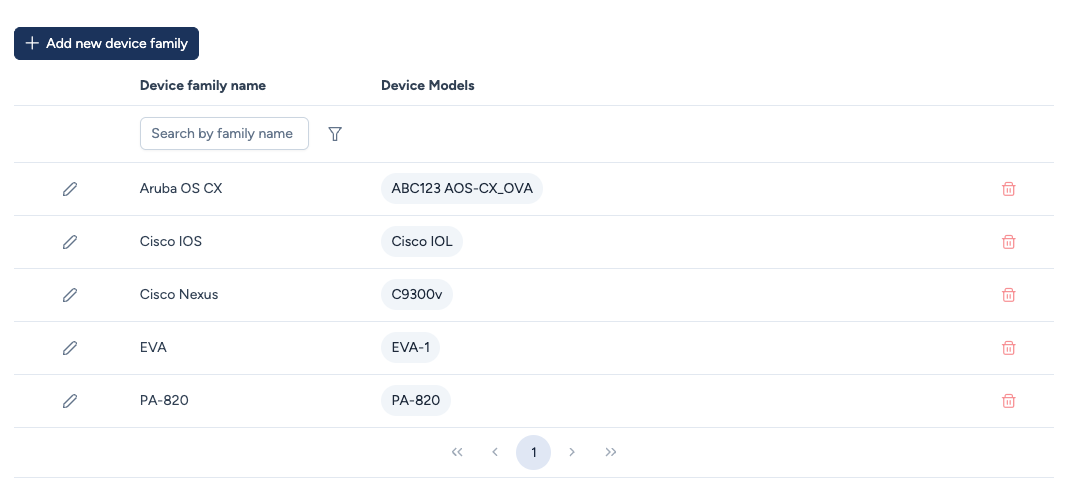
Creation and management
Like vendors, Device Families are strictly manual definitions. Avalon does not create them automatically during discovery.
- Name: The display name of the family (e.g.,
Aruba OS CX). - Device Models: This column lists the specific hardware SKUs (models) currently assigned to this family.
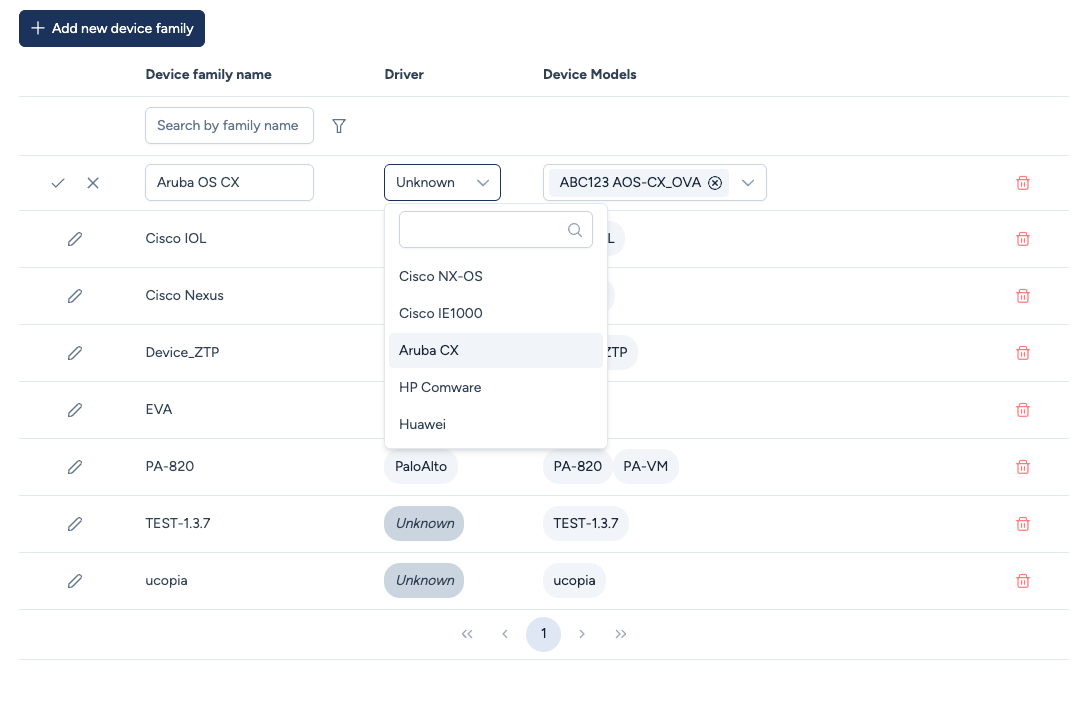
- Driver: The driver used to talk to the devices in the family, see the next section.
This hierarchy ensures that when you onboard a device, you can easily filter by Vendor > Family > Model.
Family driver
The driver is what lets Avalon talk to a device over SSH. It is set on the family, not on each model: every device in a family runs the same system, so they share the same driver.
- Driver: a drop-down list populated by the instance. There is nothing to type by hand, only the drivers actually available are listed.
A family whose driver has not been set is explicitly marked Unknown.
A family without a driver blocks everything that talks to the device
Discovery, configuration backup, upgrade, service deployment: all of these need the driver. On a
family marked Unknown they fail with a message naming the cause and the action to take, rather
than failing further down with no explanation.
Some devices forming a logical unit, such as a VSX pair, a stack or an IRF, are recognised automatically from their model and driven by a specialised variant. You do not need a separate family for them.
The list of supported systems is in Platform compatibility.
Important: Binary compatibility
When defining a Device Family, you must ensure that all models within that family share the exact same Operating System binary file.
Avalon uses the Device Family to filter which images are eligible for an upgrade. If two models require different binary files, they must be placed in separate families.
Example: Cisco Catalyst 9000 Series
Although they are marketingly part of the same "Cat9k" series, the binaries differ technically:
- Catalyst 9200 / 9200L: Require a specific binary (e.g.,
cat9k_lite_iosxe...). - Catalyst 9300 / 9400 / 9500: Share a common binary (e.g.,
cat9k_iosxe...).
Correct Avalon Implementation:
You should create two distinct families:
Cisco Cat 9200(Contains models C9200-24P, C9200L-48P...)Cisco Cat 9300-9600(Contains models C9300-48U, C9500-40X...)
This ensures that you cannot accidentally push a "Lite" image to a core switch.