Display settings
Customize the map display to highlight specific network information.
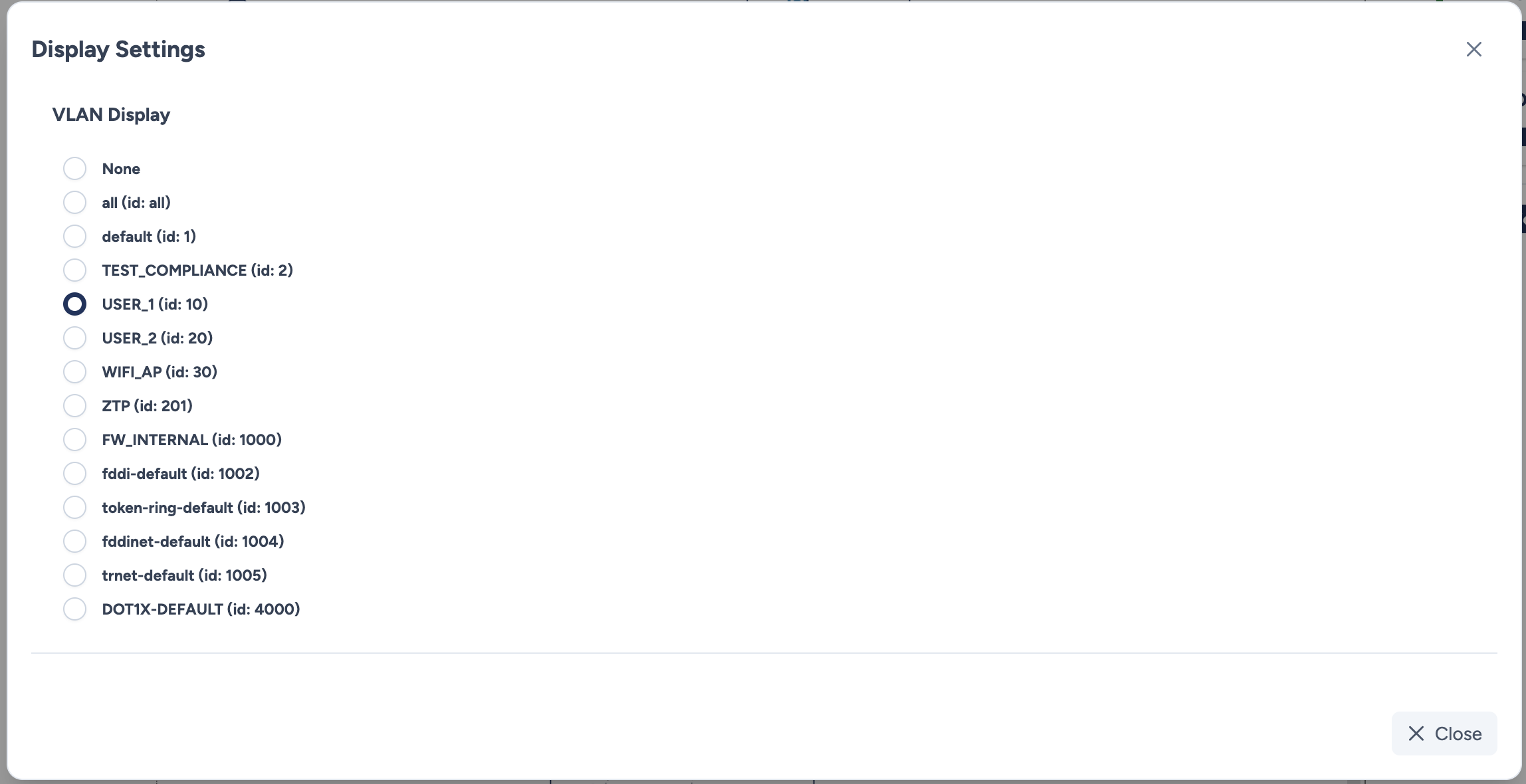
VLAN Display
Roadmap
Future updates will add support for other data such as:
- IP Addresses / VRF
- Spanning Tree Protocol
- Routing protocols
Configuration parameters
The list displays all VLANs discovered on the site, including their ID and Name.
- Selection: Select a radio button to activate the display for that VLAN. In version 1.4.1, only one VLAN can be displayed.
- None: Select this option to return to the standard view.
Results
Once a VLAN is selected, the topology map updates in real-time to reflect the configuration status.
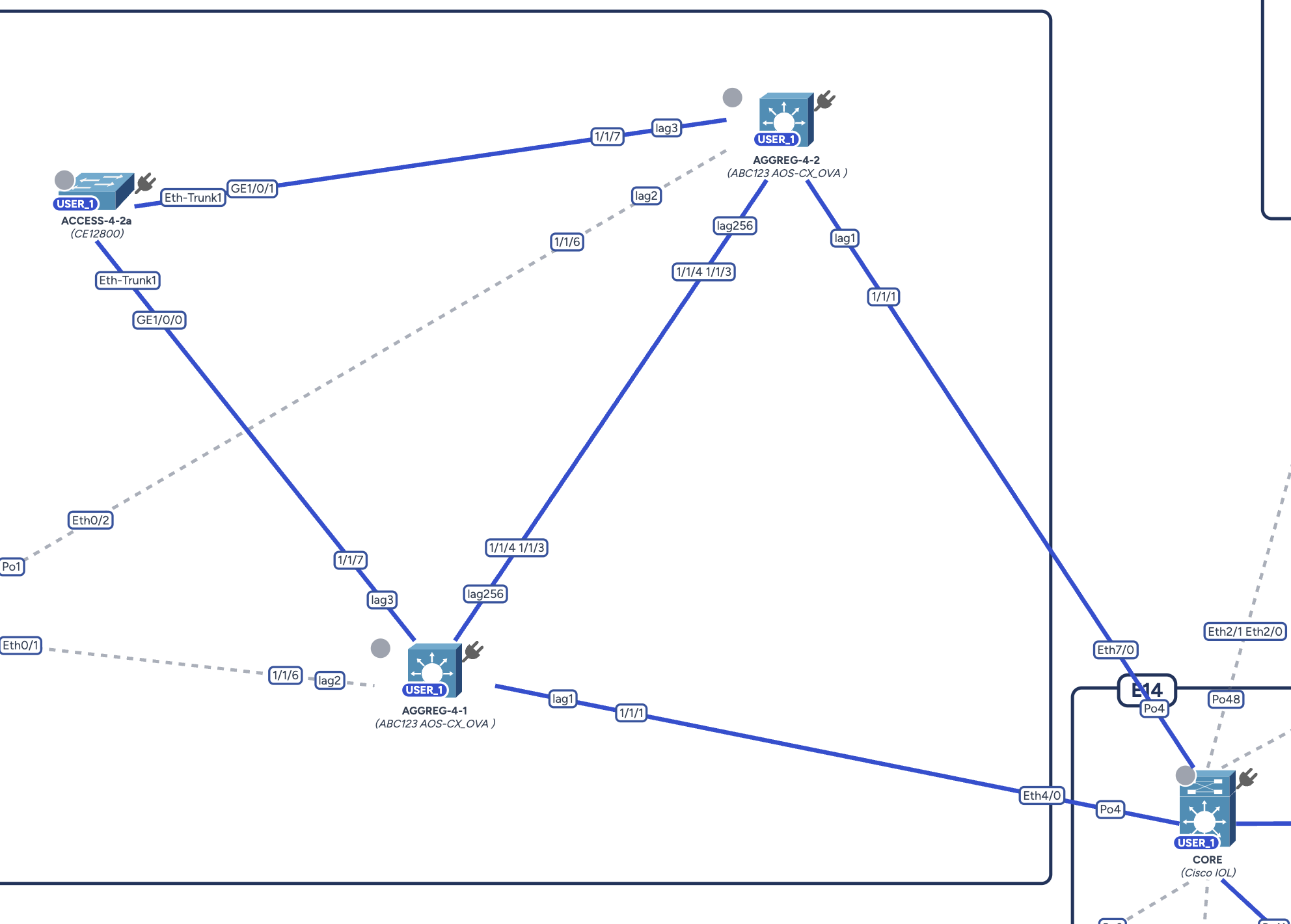
Visual indicators:
- Badge: A blue badge containing the VLAN name (e.g.,
USER_1) appears on top of a device icon if that VLAN is globally configured on the equipment. - Link Coloring:
- Fully blue link: The VLAN is configured on both sides of the link, allowed on the trunk ports at both ends.
- Link colored halfway: The VLAN is allowed on only one of the two trunks. The colored half is the side where it is configured, the other stays gray. These inconsistencies, until now indistinguishable from a VLAN simply being absent, become visible at a glance.
- Gray/Dotted Link: The VLAN is present on neither side.
Coloring follows the interfaces actually used
Aggregates are taken into account: a VLAN declared on a device but assigned to no port is no longer shown as crossing its links.
Actions
- Close: Closes the modal and applies the selected display option on the map.