From audit to remediation
A compliance audit reports, an engineering rule corrects. This page follows the whole path on a real case, from writing the compliance rule to the dry run of the fix.
Both modules are described separately on the Audit and Engineering pages.
The case followed here
The Check NAC VLAN INDUS compliance rule verifies two requirements on the access ports of
VLAN 10: that the end device is authorized, and that the port is in closed authentication mode. The
expected fix is the deployment of the NAC-CLOSED interface template on the offending ports, and on
those only.
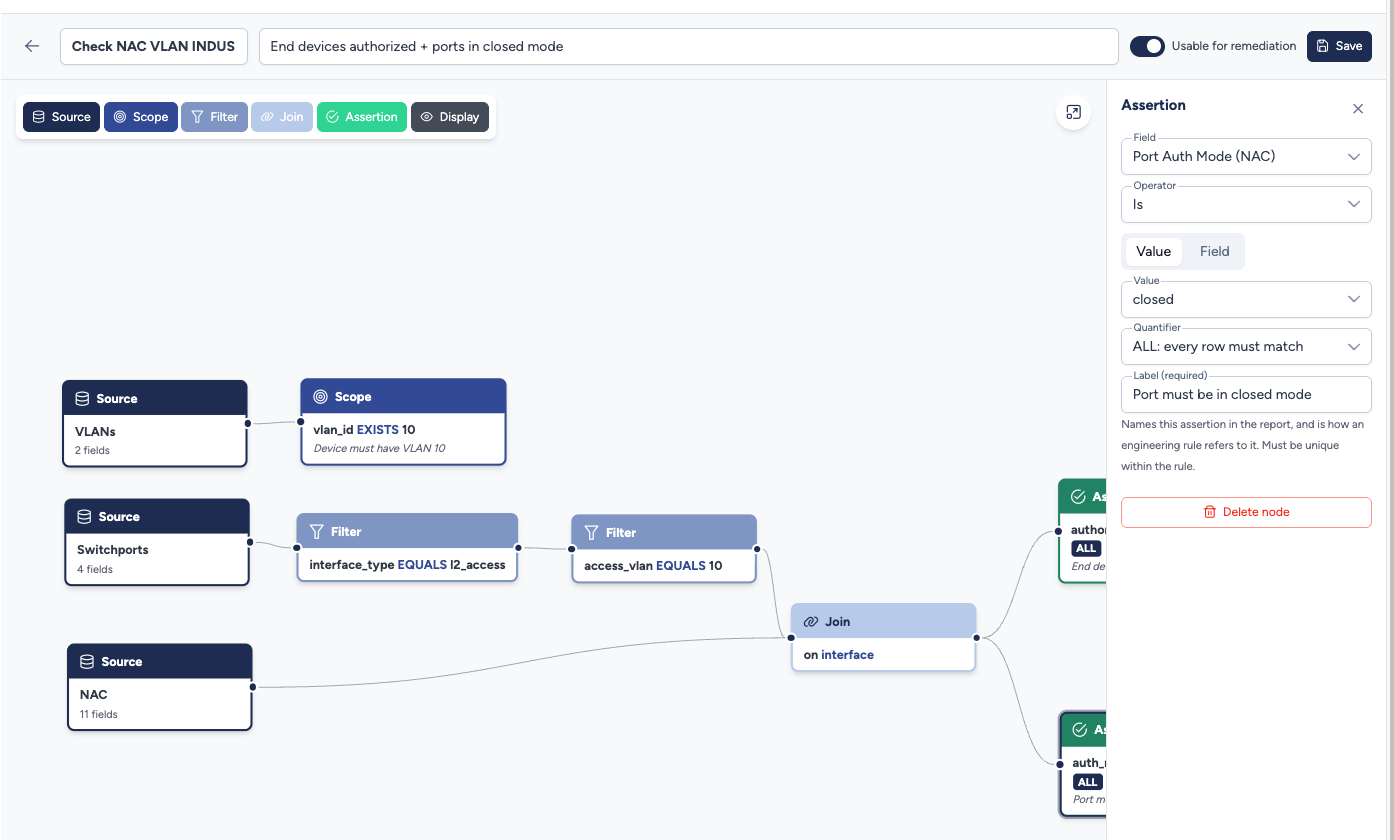
1. Name the assertion and open the rule to remediation
In the builder, every assertion carries a label, mandatory and unique within the rule. That label names the assertion in the report, and is how an engineering rule will point at it.
The Usable for remediation toggle, at the top of the editor, must be armed: without it the rule never appears in the filter list of an engineering rule.
2. Run the audit and read the offending rows
The audit produces a verdict per assertion and per device. On ACCESS-1-4 the first assertion
passes, the second fails and names its two offending rows: interfaces GigabitEthernet1/0/5 and
GigabitEthernet1/0/6, left in open mode.
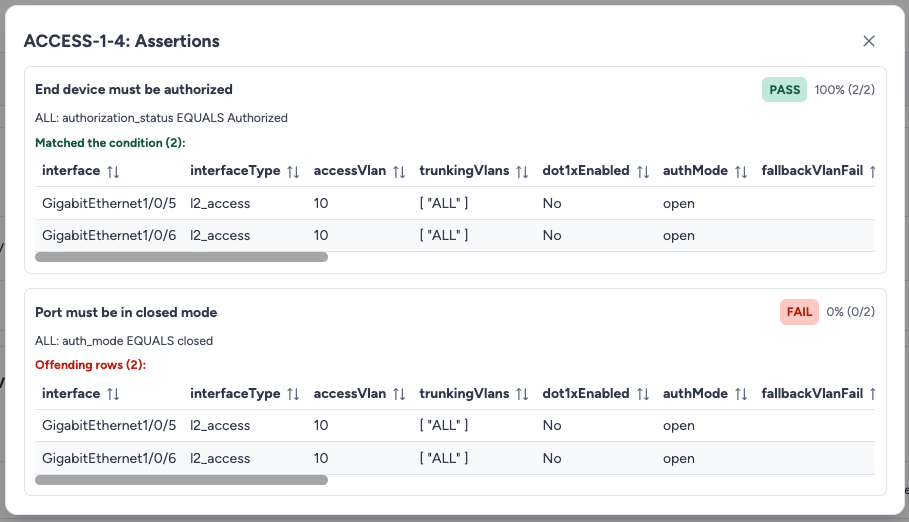
Those rows define the scope of the fix. An assertion that keeps no row, such as a missing VLAN, designates the whole device instead.
3. Write the engineering rule that corrects
The condition is picked in the Filter menu, under the Compliance group, then the compliance
rule, then the label of the assertion. The operator reads - and the value "Selected by the
assertion's verdict": there is nothing to type, the verdict is what selects.
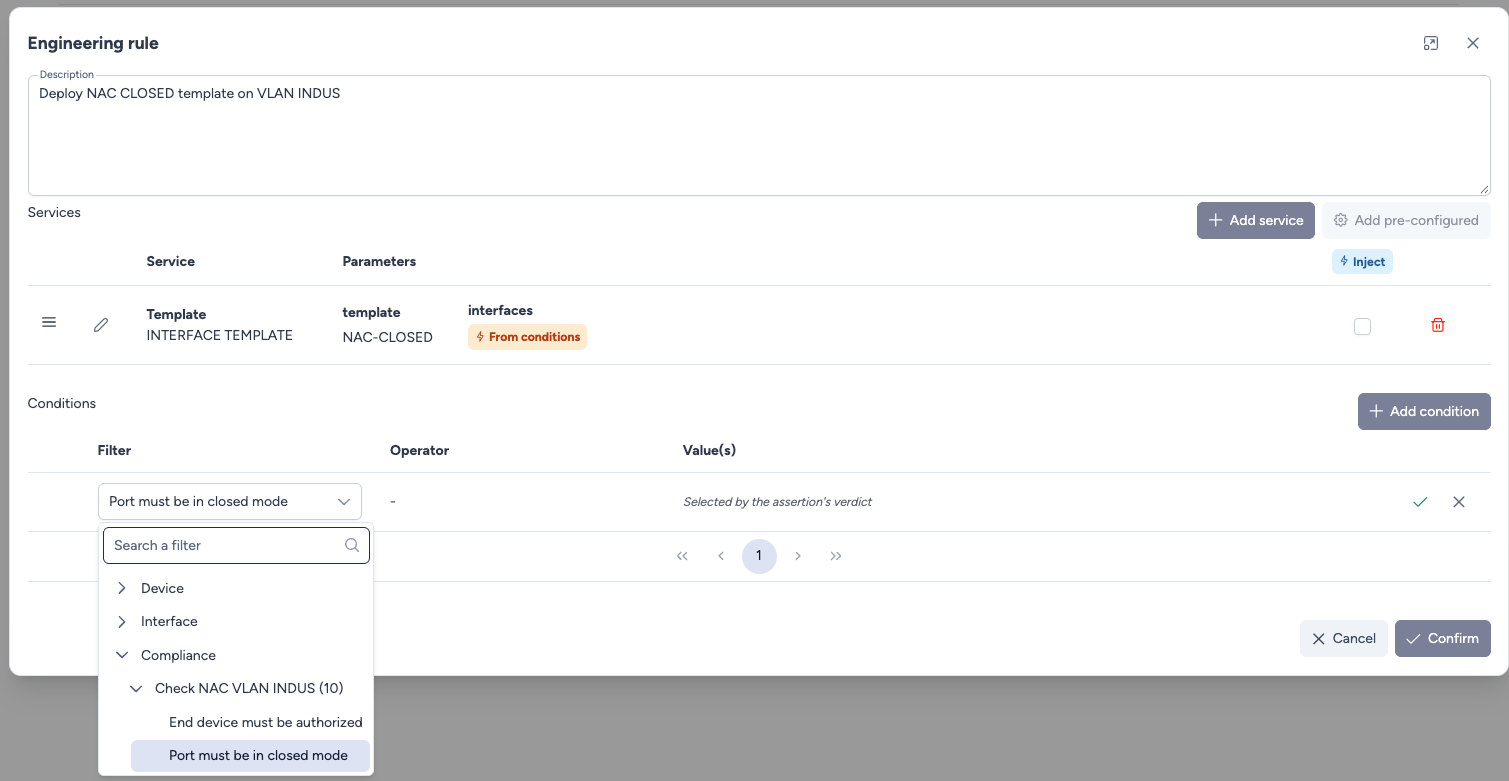
The interfaces parameter must come from the conditions
On the service row, the interfaces parameter carries the From conditions badge. That is
what restricts the deployment to the ports the findings name. An interfaces parameter filled in
by hand would deploy on everything it designates, and the remediation would lose its scope.
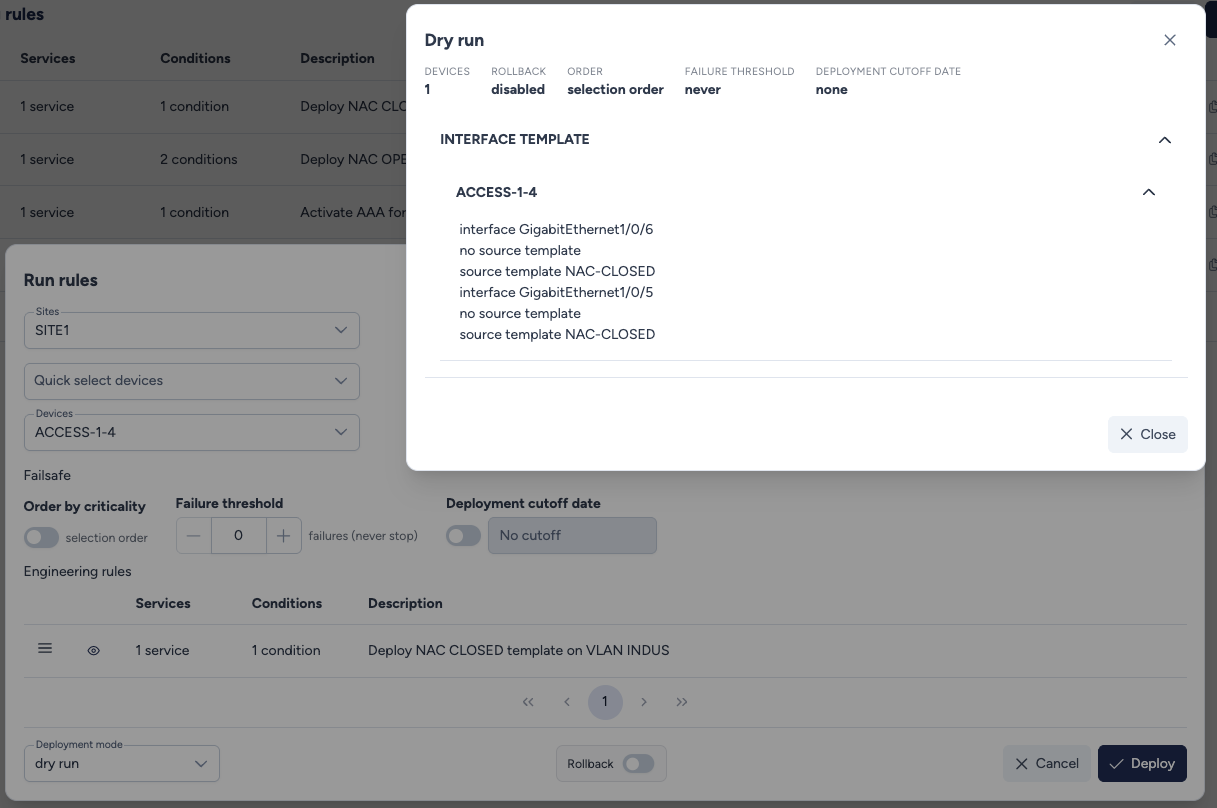
4. Check with a dry run before deploying
Running in dry run mode produces the configuration without sending it. Here it confirms that only the two interfaces the audit reported receive the template, and no other port of the switch.
What makes a remediation fail
| Symptom | Cause |
|---|---|
| The compliance rule does not appear in the Filter menu | The Usable for remediation toggle is not armed |
| No device in the scope, with a reason logged for each | The audit has never run, or the assertion was renamed since the last report |
| The fix deploys on every port of the device | The interfaces parameter of the service is not set to From conditions |